
Take card payments on your phone, into your own Stripe account
Your customer pays the deposit from the quote’s link, or taps a card on your phone when the job’s finished. It goes into your own Stripe account in pounds, and Quotebird never holds it.
Coming soon to the App Store and Google Play.
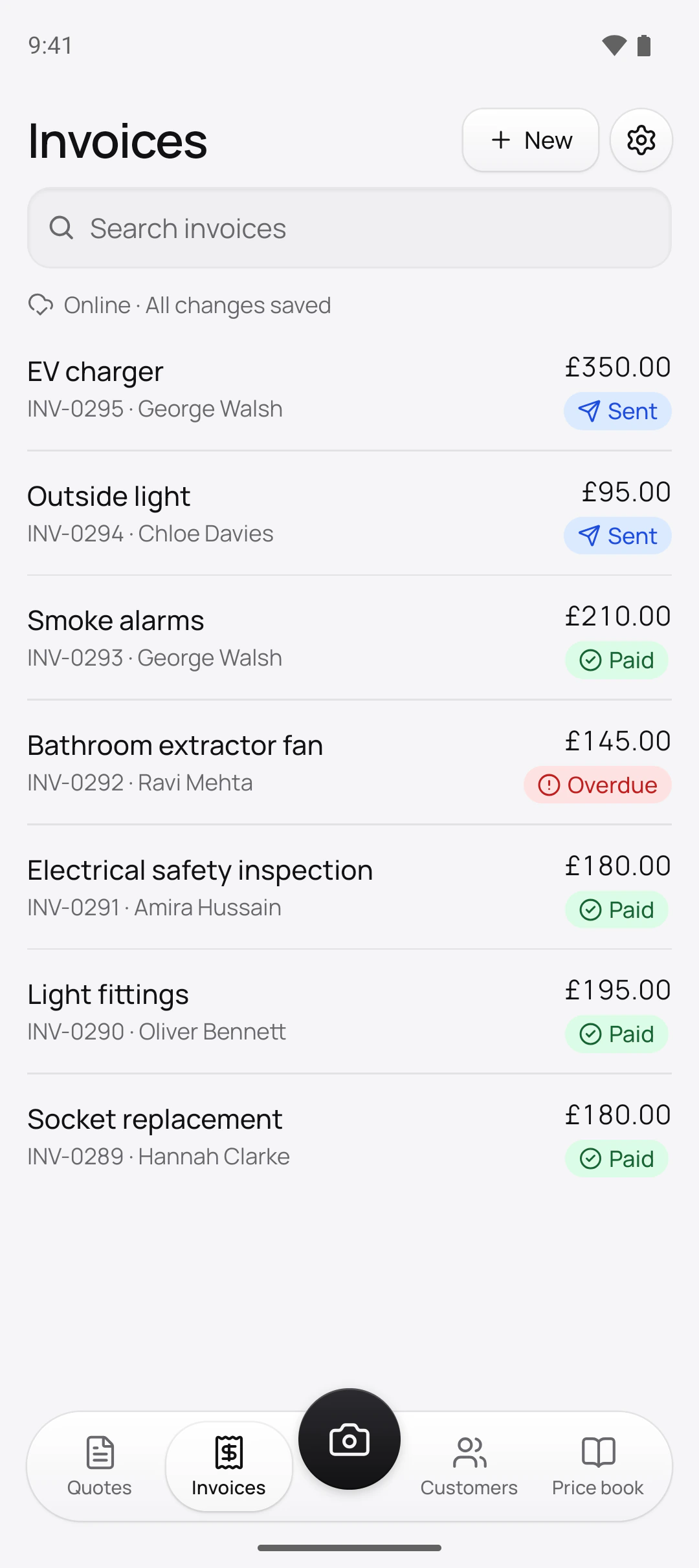
How does a customer pay by card from the link?
They open the quote or invoice you sent and tap Pay. Stripe’s secure page takes the card for whatever’s left on the invoice, in pounds, and the payment shows on the invoice in your app. If the quote has a deposit, Quotebird raises the deposit invoice as soon as the customer accepts, so they can pay it then and there without waiting on you.
Quotebird emails them the receipt. Stripe can send one of its own as well; switch that off in your Stripe settings if one is enough. On your phone, Payment received pops up with the amount, never the customer’s name.
Can I take a card on the doorstep?
Yes. Tap to Pay on iPhone and Android turns your phone into the card machine: open the invoice, tap Tap to Pay (on an iPhone, Tap to Pay on iPhone), and the customer holds a contactless card, phone or watch against it. A PIN, if the card wants one, goes in on your screen. Quotebird emails the receipt, or you send it with Share receipt.
Doing a job in someone’s home and getting paid there and then? Choose Start work under New on the Invoices tab before you begin. The customer signs a quote on your phone with their cancellation information and can ask you to start straight away.
Kitchen downlights: the deposit, then the balance
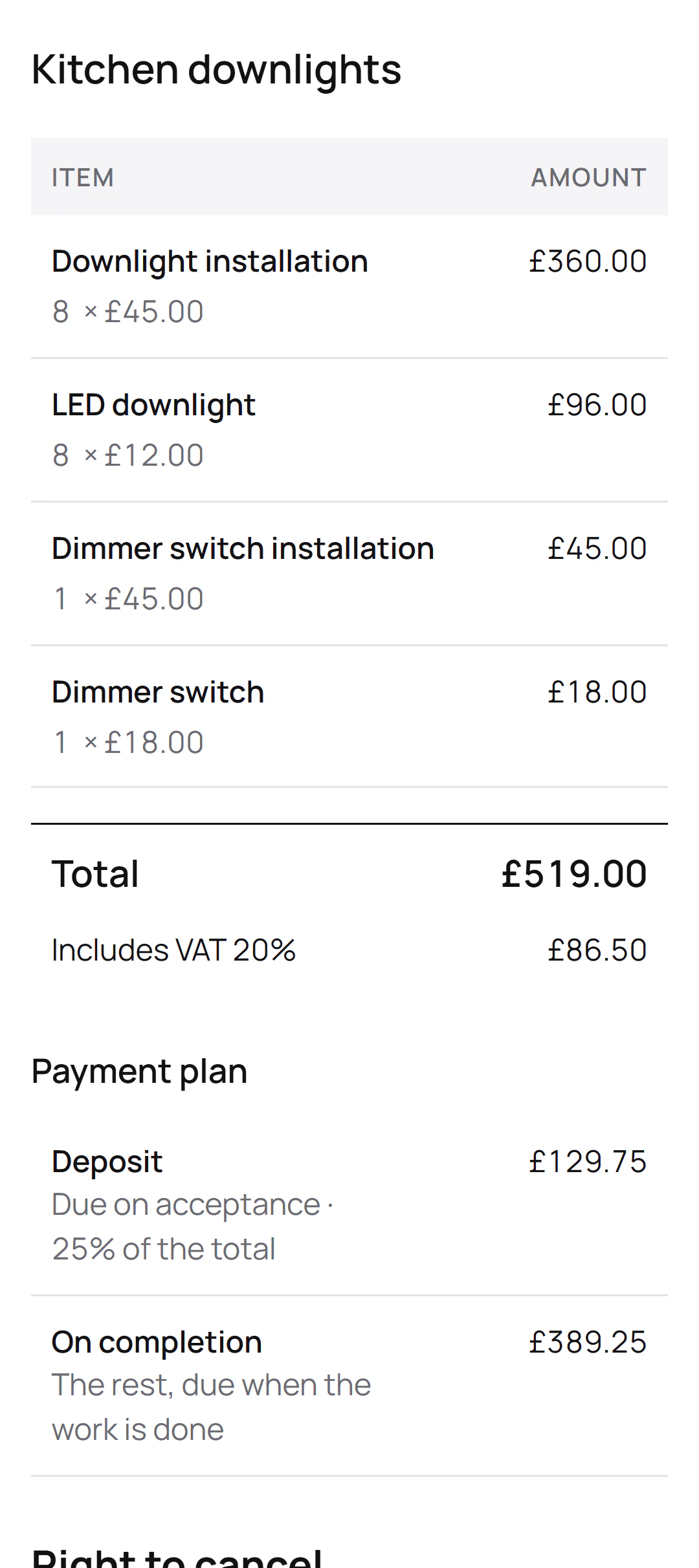
Tom Hartley is the London electrician in this site’s screenshots, a demo business we set up. His quote to Oliver Bennett for eight downlights and a dimmer comes to £519.00 including 20% VAT, with a 25% deposit. Paid by card, it would split like this:
The two payments
- Deposit£129.75, from the link the moment Oliver accepts
- On completion£389.25, tapped on Tom’s phone once the lights are in
Quotebird’s share
- Standard (1%): £1.29 on the deposit, £3.89 on the balance
- Pro (0.5%): £0.64 and £1.94
- Stripe takes its own card fee from each payment too.
Oliver’s quote carries the 14-day right to cancel. Had he cancelled after paying the deposit, Tom would refund the £129.75 in Quotebird, and the £1.29 share would come back with it.
Whose account does the money go into?
Yours. Each payment is taken on your own Stripe account, a full one with Stripe’s dashboard, so Quotebird never holds your money or passes it on. Set it up from Settings with Get paid online: Quotebird opens the account in the UK and in pounds, filling in your business name and trade from your profile, and Stripe’s form asks for the rest, like your date of birth and payout bank account. A sole trader goes in as an individual, which is how Stripe sets up UK sole traders.
What does a card payment cost me?
Stripe’s card fee, which Stripe charges you itself, and Quotebird’s share: 1% of each card payment on Standard, 0.5% on Pro. The share rounds down to the penny, and cash, cheques and bank transfers you record carry none. It shows on the plans screen, under Get paid online and on every card payment, never to your customer. See pricing.
What if the customer cancels within the 14 days?
If they cancel from the link, the quote shows Refund the customer with the date to refund by, 14 days from the cancellation. Tap Refund on each payment and the money goes back to their card from your Stripe balance. Refund in Quotebird and we refund our share too. A refund made in your Stripe dashboard keeps it, and Stripe doesn’t return its own fee either way.
When does the money reach my bank?
When Stripe pays it out, on your account’s schedule. Quotebird sets a new account to daily payouts once; you can change it to weekly, monthly or manual in your Stripe dashboard. On manual, each card payment says This money waits in Stripe. The first payout’s timing is down to Stripe’s checks.
Questions
Does Tap to Pay need a card reader?
No, your phone reads the card. It needs your location, which Stripe requires, and your business address in your profile, and it won’t start while screen recording or developer options are on.
What if my subscription lapses?
Customers can still pay your invoices by card. Without a plan, Quotebird’s share is the Standard rate, 1%.
Can a customer pay just part of an invoice?
The link asks for what’s left in one go. For a bigger job, set a deposit and stages on the quote, and invoice each stage when it’s due.
What if a payment is disputed?
It shows Disputed, and you answer it in your Stripe dashboard before Stripe’s deadline. If the bank decides for the customer, the money goes back to them and our share isn’t returned.
Step by step, with every button
Questions? Write to us at support@quotebird.app.