
VAT invoices for tradesmen, from the quote
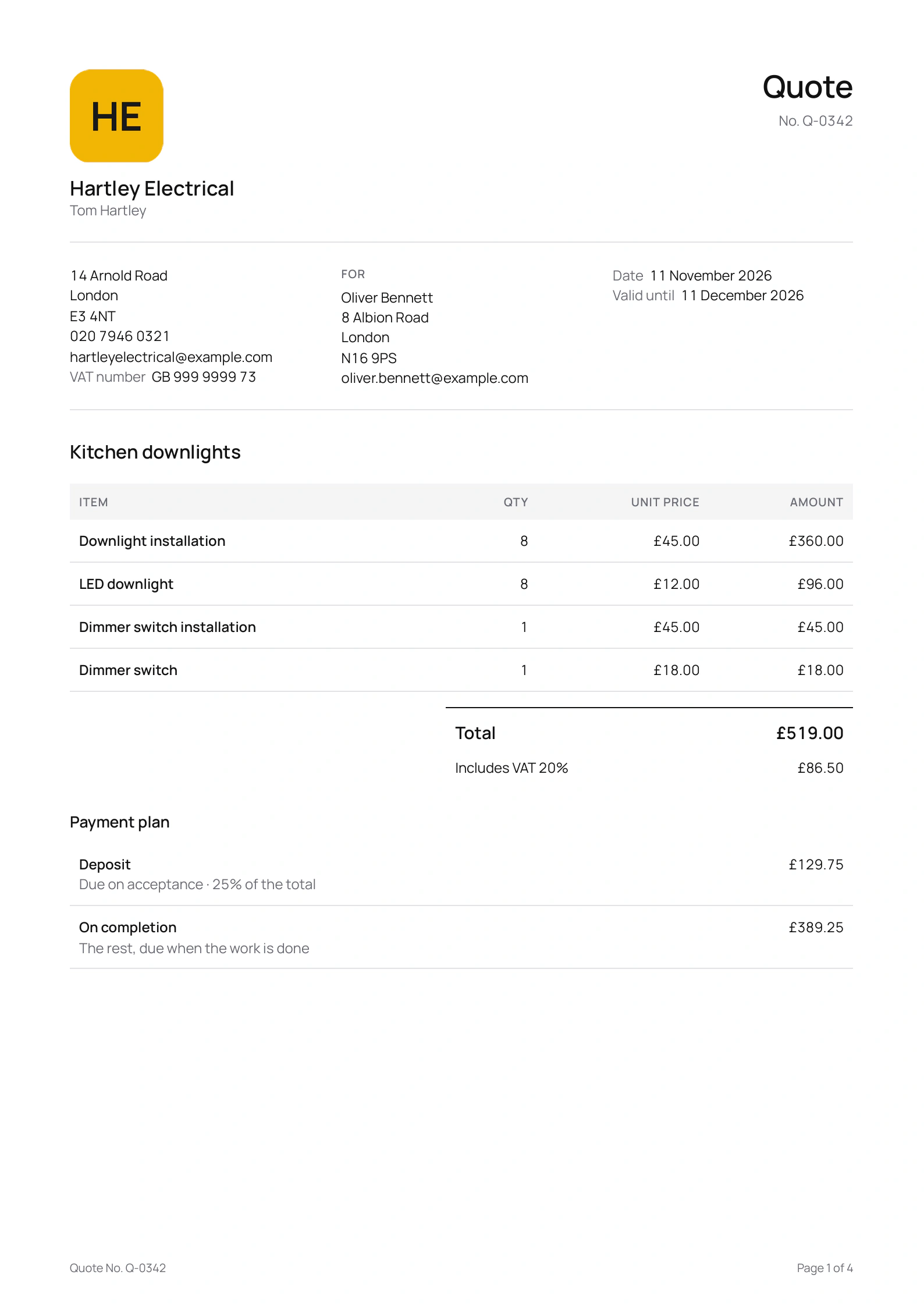
Tap Invoice on a sent quote and the customer, the items and the VAT are already in. Every invoice carries your VAT number and its tax point, and one over £250 sets each line out the way a full VAT invoice does.
Coming soon to the App Store and Google Play.
What does a VAT invoice from Quotebird show?
With Registered for VAT on in your business profile, every invoice carries your VAT number and its tax point, normally printed together as “Date and tax point”. Up to £250 including VAT, it shows the total and the VAT it includes, as a simplified invoice may. Over £250 it becomes a full VAT invoice: each line shows its VAT rate, its unit price and amount excluding VAT, and the foot shows the total excluding VAT, then the VAT.
A full VAT invoice names the customer and their address, so Quotebird won’t send one over £250 until the address is filled in. If you invoice more than 14 days after the job’s finish date, the tax point prints on its own line as that date. A limited company’s invoices add its company number, where it’s registered and, if it’s elsewhere, its registered office.
How do I turn a quote into an invoice?
Open the sent quote and look under Invoices. Tap Invoice the deposit, a stage’s Materials delivered or Mark as done, the Final invoice, or Invoice if there was no payment plan, and a draft opens with the customer, the items and the VAT. Alter the items to what you did, choose Payment due (on receipt, or 7, 14, 30 or 60 days) and send it by link, PDF or email.
No quote for it? A call-out or a quick bit of fault finding can be billed there and then: New on the Invoices tab, then Write an invoice.
Seven invoices from a London electrician
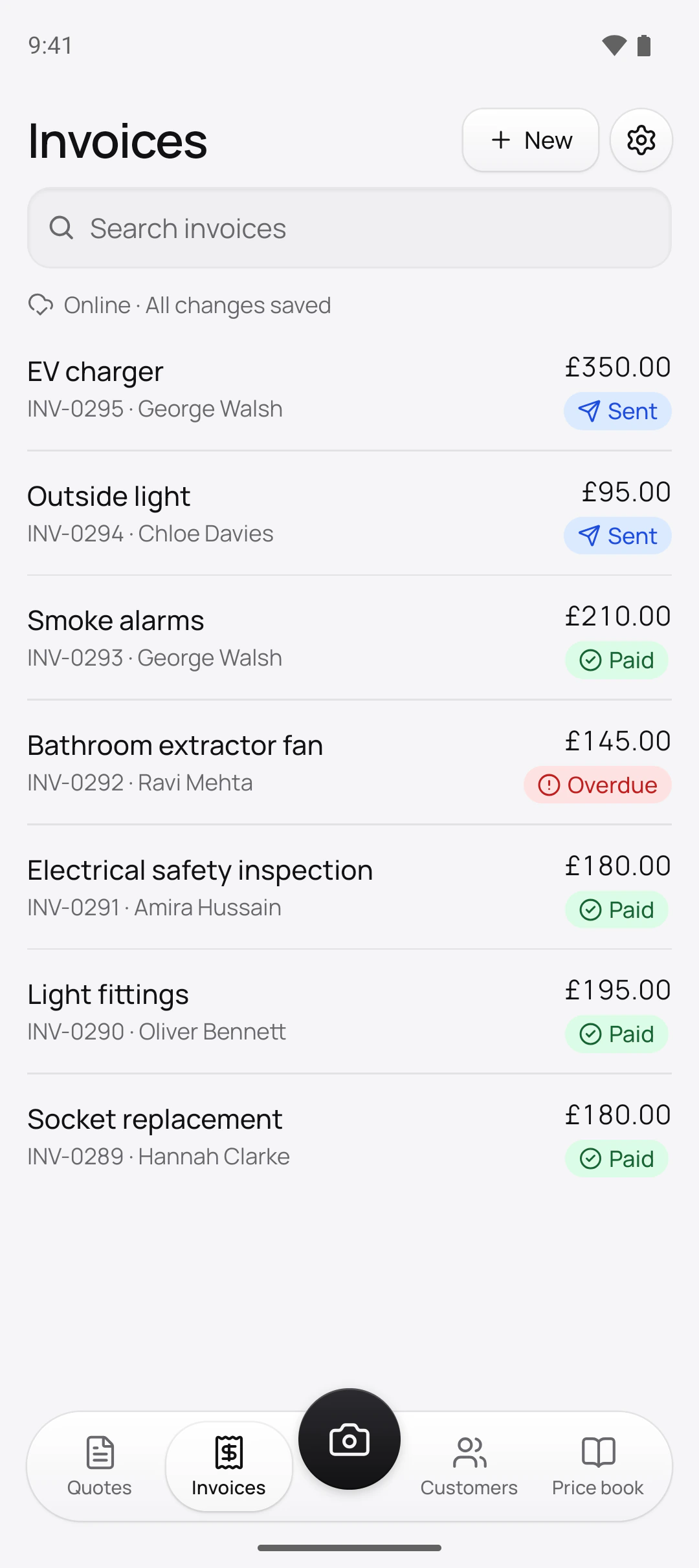
Tom Hartley is the electrician in this site’s screenshots, a demo business we set up for them. He’s VAT registered, and his prices include 20% VAT:
Oldest first
- INV-0289, Socket replacement£180.00, paid by bank transfer
- INV-0290, Light fittings£195.00, paid in cash on the day
- INV-0291, Electrical safety inspection£180.00, paid by bank transfer
- INV-0292, Bathroom extractor fan£145.00, overdue
- INV-0293, Smoke alarms£210.00, paid in cash on the day
- INV-0294, Outside light£95.00, sent
- INV-0295, EV charger£350.00, sent
Six of them are £250 or less and show the total with the VAT it includes. The EV charger, at £350, went out as a full VAT invoice: its line shows the VAT rate and the price before VAT, and it names George Walsh with his address in Mill Lane.
Who numbers my invoices?
Our server does, the moment an invoice is sent, so the run has no gaps however many drafts you start and bin. Invoices go from INV-0001 onwards; credit notes have their own run, CN-0001. That’s why sending needs a signal, while drafting doesn’t.
How do I correct an invoice I’ve sent?
A sent invoice can’t be changed or deleted. If it should never have gone, say it was a duplicate, tap Void invoice and give the reason: it keeps its number, stays in your records as Void, and its link stops taking payments. You can void only before any payment or credit note.
To reduce it, issue a Credit note: it starts with the invoice’s items, you lower them to the amount you’re taking off and write the Reason. It prints the reason, refers to the invoice it corrects with that invoice’s date, and lowers what the customer owes.
How do I record cash or a bank transfer?
On the invoice, tap Record payment, then Cash, Cheque, Transfer or Other, with the day it arrived under Received on and any Reference. It saves with no signal. Paid in full, the invoice shows Paid; Share receipt sends a receipt stamped Paid. Recorded the wrong one? Reverse payment keeps it on record as reversed.
Questions
I’m not VAT registered. What do my invoices look like?
Ordinary invoices with no VAT, no VAT number and no tax point. When you register, turn on Registered for VAT in your business profile and add the number; invoices sent from then on show it.
Can I carry on the numbers from my old app?
Yes, before your first invoice: set the prefix and the next number in Settings → Document numbers. Once a series has given a number it shows In use and can’t change.
How long should I keep my invoices?
The export screen gives HMRC’s rule: sole traders keep business records for at least 5 years after the 31 January deadline of the tax year they relate to, limited companies and VAT-registered businesses for at least 6 years.
What do the badges on my invoices mean?
Viewed means the customer has opened it. Due soon is within 3 days of the due date; Overdue, the only red one, is past it. Credited means credit notes cleared it.
Step by step, with every button
Questions? Write to us at support@quotebird.app.