
Invoices for contractors, straight from the estimate
Open a sent estimate, tap Invoice, and the customer, the line items and the sales tax are already filled in. Quotebird gives the invoice its number, keeps the copy you sent, and shows it paid once you record the check.
Coming soon to the App Store and Google Play.
How do I turn an estimate into an invoice?
Open the sent estimate and look under Invoices: each payment still to bill has a row. Invoice the deposit, Materials delivered or Mark as done bills a payment from the plan, and Final invoice the rest, or Invoice when the estimate has no plan. The invoice opens as a draft with the customer and what it bills already in.
Match the lines to the work done, check Payment due (on receipt, or 7, 14, 30 or 60 days) and tap Send to share it as a link, a PDF or an email. A final invoice adds the items of each change order the customer signed, subtracts the stage invoices already sent and ends on the Amount due.
Can I invoice a job I never estimated?
Yes. A service call or a quick repair can go straight to an invoice: on the Invoices tab, tap New, then Write an invoice, and Choose a customer. Add items from your price book or type your own, and send. Payments, credit notes and voiding work as they do on an invoice from an estimate.
A month of invoices from one handyman
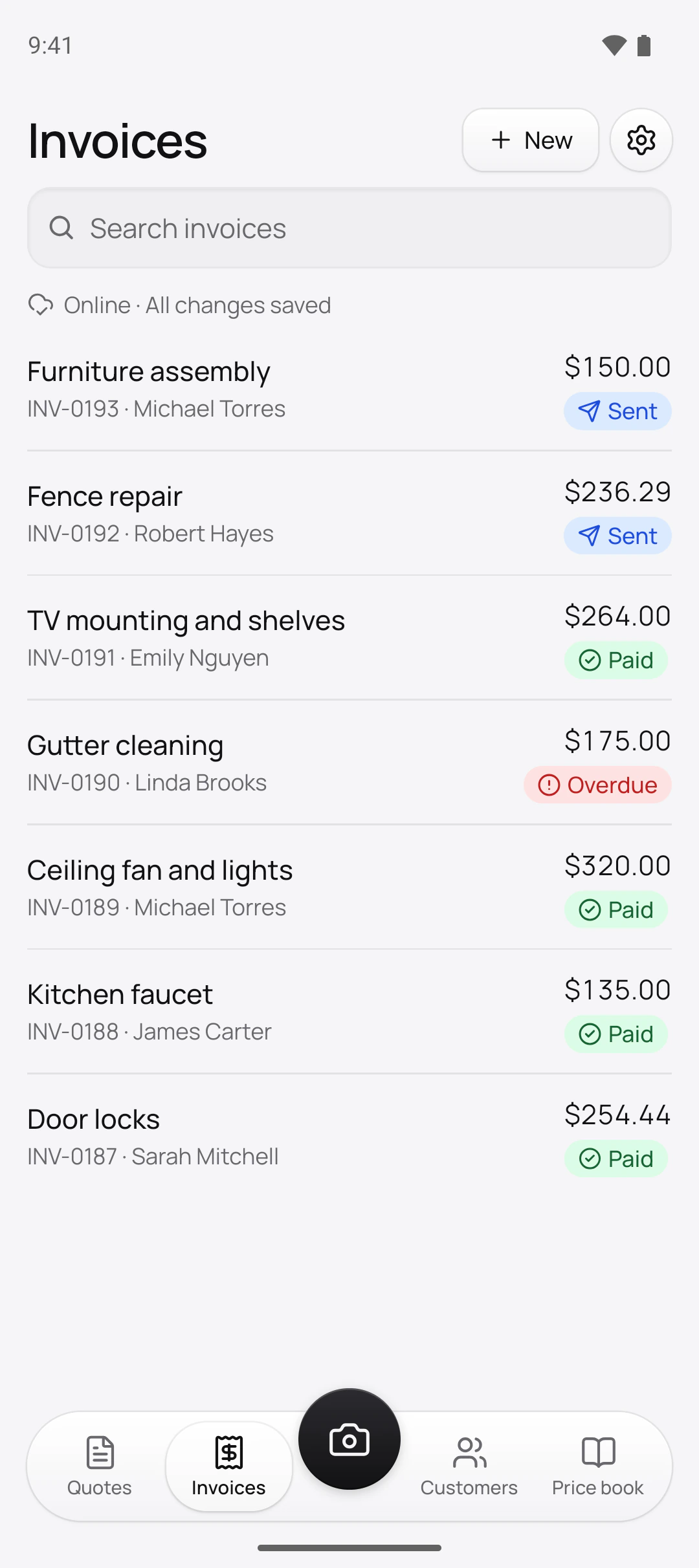
Daniel Rivera is the Austin handyman in this site’s screenshots, a demo business we set up for them. His invoices, numbered by our server in the order he sent them:
Oldest first
- INV-0187, Door locks$254.44, paid in cash the day it was sent
- INV-0188, Kitchen faucet$135.00, paid by bank transfer
- INV-0189, Ceiling fan and lights$320.00, paid by bank transfer
- INV-0190, Gutter cleaning$175.00, overdue
- INV-0191, TV mounting and shelves$264.00, paid by check no. 2241
- INV-0192, Fence repair$236.29, sent
- INV-0193, Furniture assembly$150.00, sent
Only the lockset and the fence boards carry the 8.25% sales tax Daniel entered; his labor items start untaxed, the app’s default for his trade in Texas.
Who gives each invoice its number?
Quotebird’s server, at the moment you send it. Drafts carry no number, so starting three invoices and sending one leaves no holes: invoices count up from INV-0001 without gaps, and credit notes keep their own series, CN-0001. Switching from another app? Before your first invoice, set the prefix and the next number in Settings → Document numbers. Since the server hands out the numbers, sending needs a connection.
What if I sent an invoice with a mistake?
Sent invoices can’t be edited or deleted; you correct them instead. Tap Void invoice for one that shouldn’t exist, such as a Duplicate, and pick the reason. It keeps its number, stays in your records marked Void, and its link stops taking payments. Voiding works only while the invoice has no payment and no credit note.
To bill less, issue a Credit note. It starts with the invoice’s items: lower them to what you’re taking off, write the Reason, which prints, and send it. The credit note names the invoice it corrects and reduces what the customer owes.
How do I mark an invoice paid by check?
Open the invoice, tap Record payment and pick Check, Cash, Transfer or Other. The Amount starts at what’s left to pay, and the check number goes in Reference. It saves without a signal. Once nothing is left, the badge turns Paid, and Share receipt sends your customer a receipt stamped Paid. A payment entered by mistake is reversed, never deleted.
How does sales tax show on the invoice?
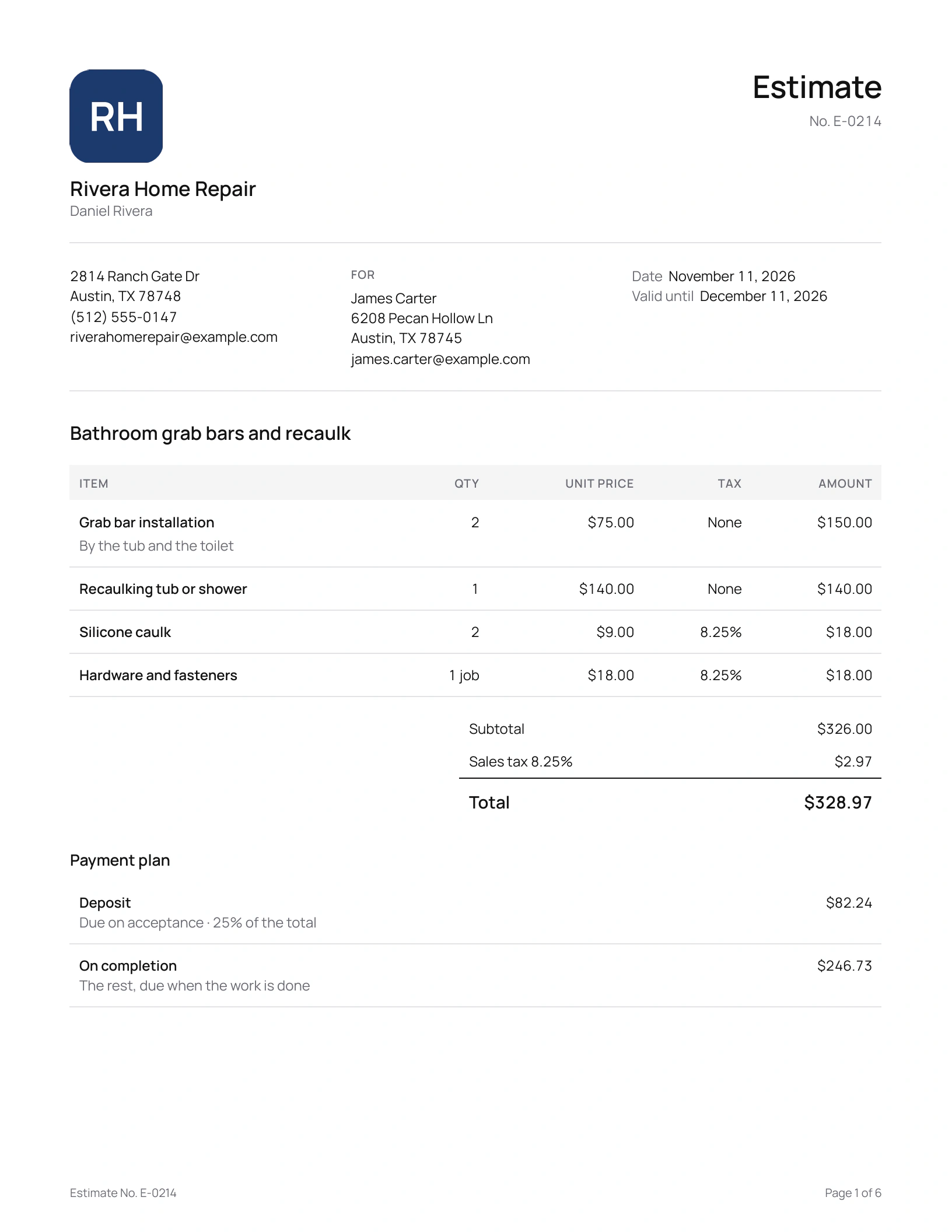
As your rate, the tax amount and the total; when only some lines are taxed, a Tax column marks each. For an exempt job, tap Exemption and pick capital improvement, resale, exempt organization or other: no sales tax is charged, the invoice prints the reason, and a photo of the signed certificate stays with the job. License numbers from your profile print on every invoice; your EIN stays off.
Questions
Can I edit an invoice after it’s sent?
No. Quotebird keeps an unchangeable copy of exactly what your customer received, so a fix is a credit note or a void. Changing your tax rates, your payment details or the customer’s address later leaves sent invoices as they were.
What do the invoice badges mean?
Sent, then Viewed once the customer opens the page. Due soon means due within 3 days, and Overdue is the only red badge. Paid, Credited, Refunded and Void close it out.
How long should I keep invoices?
The export screen shows the IRS’s general rule: 3 years after you file the return they support, longer in some cases; your state may require more.
Can customers pay an invoice by card?
Yes, with card payments set up through Stripe: into your own Stripe account, less the plan’s platform fee (see pricing). Without Stripe, your bank details or your own payment link can print under “How to pay”.
Step by step, with every button
Questions? Write to us at support@quotebird.app.