
Card payments and Tap to Pay, straight to your Stripe account
Your customer pays the deposit by card from the estimate’s link, or taps a card on your phone when the job’s done. The money lands in your own Stripe account, and Quotebird never holds it.
Coming soon to the App Store and Google Play.
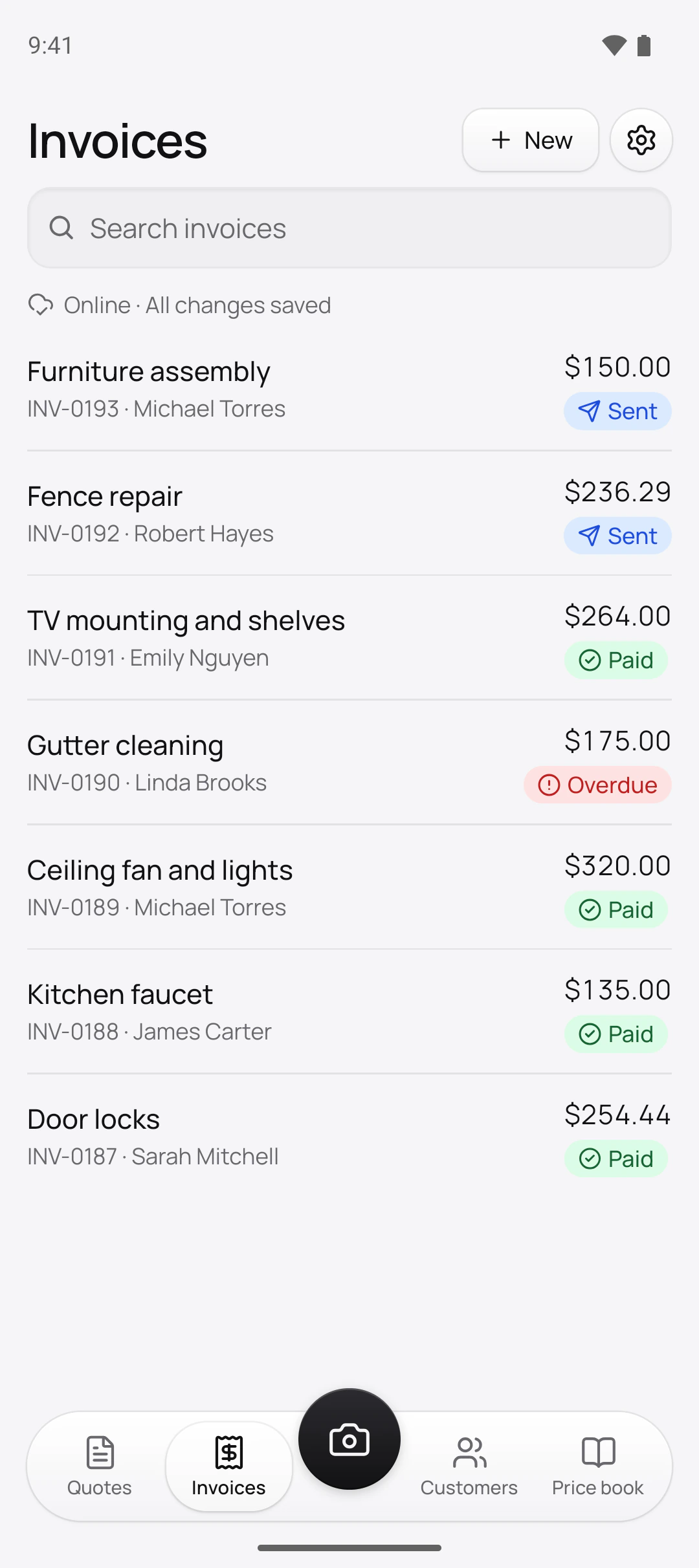
How do customers pay me by card?
From the link you already sent them. Once payments are on, every invoice’s page has a Pay button: the customer sees what’s left to pay, taps it and pays on Stripe’s secure page, in US dollars. When an estimate asks for a deposit, Quotebird issues the deposit invoice the moment the customer signs, so they pay it on the same page.
Quotebird emails them a receipt, and your phone says Payment received with the amount, never the customer’s name.
Where does the money go?
Into your own Stripe account, never through ours. Each payment is a charge on your account: Stripe takes its card fee from it, and Quotebird’s share comes off the same payment. It’s a full Stripe account, with Stripe’s own dashboard.
Setup starts in Settings → Get paid online → Set up payments. Quotebird opens the account in your country and currency with what your profile already says, like your business name, trade and website. Stripe’s form asks for the rest, such as your date of birth and payout bank account, and Quotebird doesn’t see it.
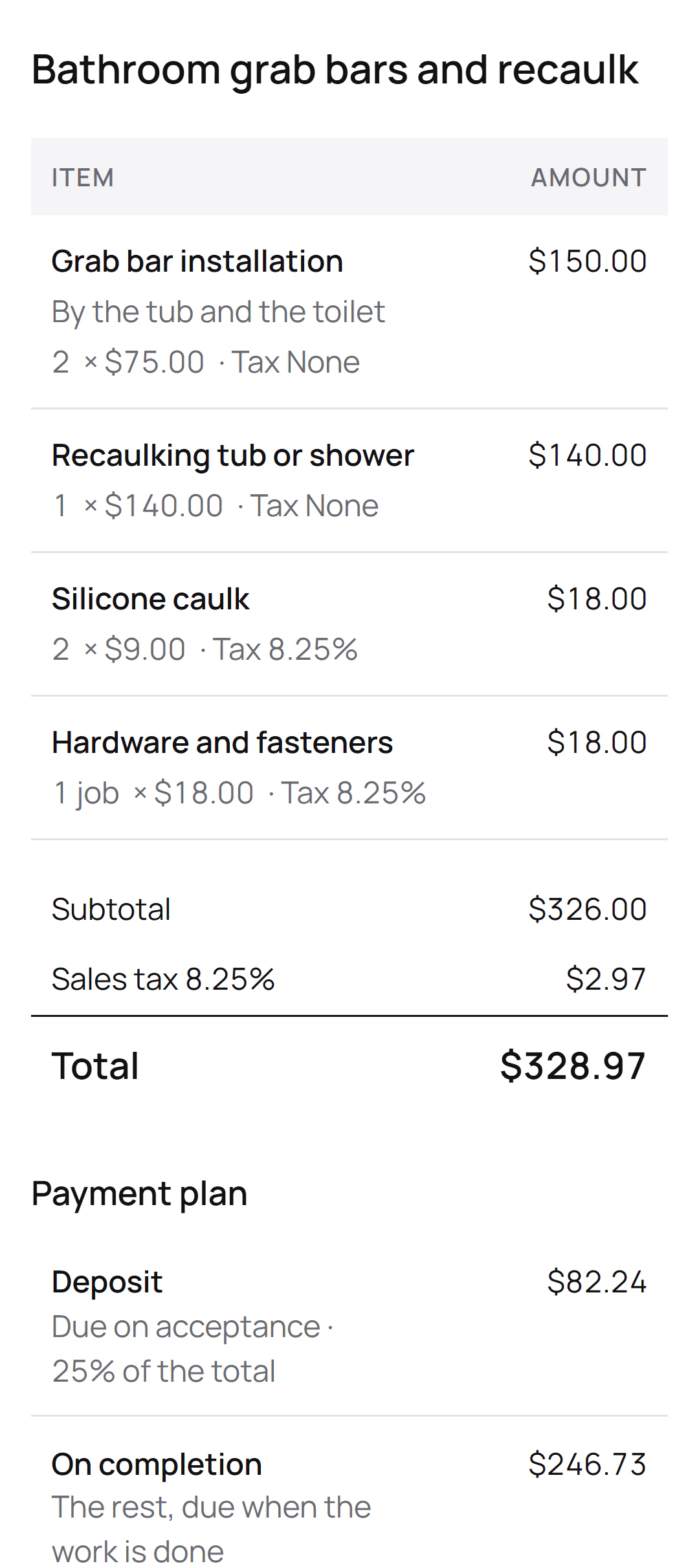
Grab bars and a recaulk, paid in two parts
Daniel Rivera is the Texas handyman behind this site’s screenshots. His estimate to James Carter comes to $328.97, with 8.25% sales tax on the materials and a 25% deposit. Paid by card, it would go like this:
The two payments
- Deposit$82.24, from the estimate’s page as soon as James signs
- On completion$246.73, on the final invoice, by the link or Tap to Pay
Quotebird’s share
- Standard (1%): $0.82 on the deposit, $2.46 on the rest
- Pro (0.5%): $0.41 and $1.23
- Stripe’s card fee comes off each payment too.
Both payments land in Daniel’s own Stripe account, minus these amounts and Stripe’s fee.
What does a card payment cost?
Two fees come out of each card payment. Stripe charges its own card fee, which you’ll find in your Stripe dashboard. Quotebird’s share is 1% on the Standard plan and 0.5% on Pro, rounded down to the cent. Cash, checks and bank transfers you record carry no share.
The rate shows on the plans screen, in Get paid online and on every card payment; your customer never sees it. Plans are in our pricing section.
Can I take a card on the spot?
Yes, with Tap to Pay on iPhone and Android, and no card reader. Open the invoice and tap Tap to Pay (Tap to Pay on iPhone on an iPhone). The customer holds a contactless card, phone or watch near your phone and types any PIN on your screen. Before the card is read, the screen shows the amount and Quotebird’s share.
For a job with no invoice, tap New → Tap to Pay on the Invoices tab: Quotebird issues a numbered invoice, then reads the card. Working in the customer’s home? Choose Start work under New first, and they sign an estimate with their right to cancel on your phone.
How do refunds work?
Refund in Quotebird and we refund our share too, in proportion to what you give back. Tap the payment under Payments, then Refund, and choose all of it or part; the money goes back to the card from your Stripe balance. Stripe keeps its own fee. A refund made in your Stripe dashboard instead keeps our share, and so does a chargeback the customer’s bank decides in their favor.
When does the money reach my bank?
On your Stripe account’s payout schedule. Quotebird sets a new account to daily payouts once; after that, change it in your Stripe dashboard. On Manual, each card payment reads This money waits in Stripe. The first payout depends on your country and Stripe’s checks.
Where the law holds payment while the customer can still cancel, as New York City does for three business days on home improvement, the customer’s page says when they can pay, and the link opens by itself after.
Questions
Does my customer need a Stripe account?
No. They pay with their card on Stripe’s page, with no app and no account. Only you need one.
Can a customer pay part of an invoice?
The link takes what’s left on the invoice in one payment. To spread a big job out, give the estimate a deposit and stages, and invoice each stage when it’s due.
Can I take cards for door-to-door jobs?
Not through Stripe, which doesn’t allow door-to-door sales: a job where you knocked uninvited mustn’t be paid through it. A visit the customer asked for is fine; keep the message or booking that shows they called you.
What if a card won’t tap?
Some cards have to go into a card machine, which Tap to Pay can’t do. Send the invoice’s payment link instead, and the customer pays on their own phone.
Step by step, with every button
Questions? Write to us at support@quotebird.app.