
Tap to Pay and card payments for tradesmen in Ireland
Customers tap their card on your phone before you leave the job, or pay the deposit by card from your quote’s link. Every euro goes into your own Stripe account, and Quotebird never touches it.
Coming soon to the App Store and Google Play.
Can I take a card at the job without a reader?
Yes. Tap to Pay on iPhone and Android reads contactless cards and phone wallets with nothing but your phone. On the invoice, tap Tap to Pay (Tap to Pay on iPhone on an iPhone); when the screen says Waiting for the card…, the customer holds the card near the top of the back of your phone. If it asks for a PIN, they key it in on your screen.
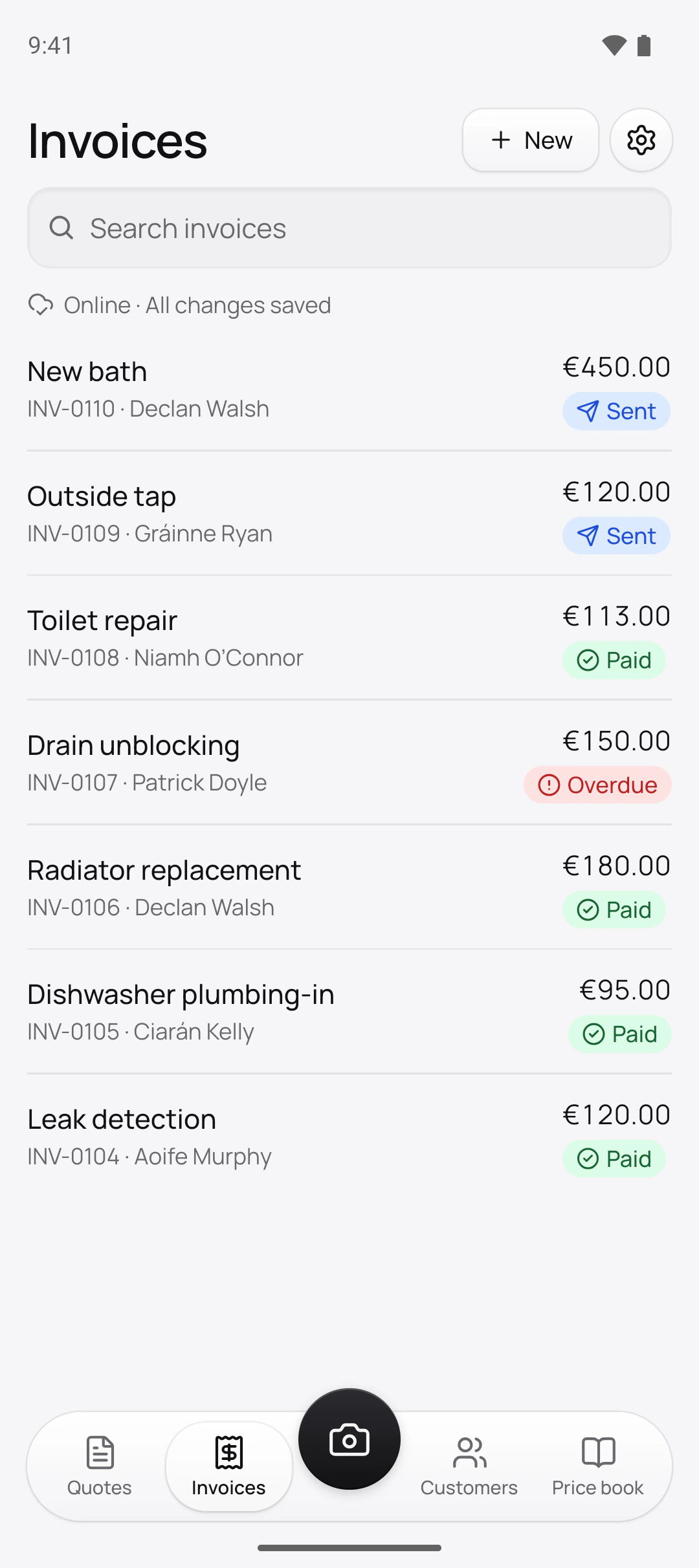
No invoice yet? On the Invoices tab, New then Tap to Pay asks for What it’s for and the Amount, issues a numbered invoice and reads the card. The receipt goes by email, or you send it with Share receipt. For work in the customer’s home that you’ll be paid for on the spot, Start work under New has them sign the quote and their cancellation information on your phone first.
How do customers pay from the link?
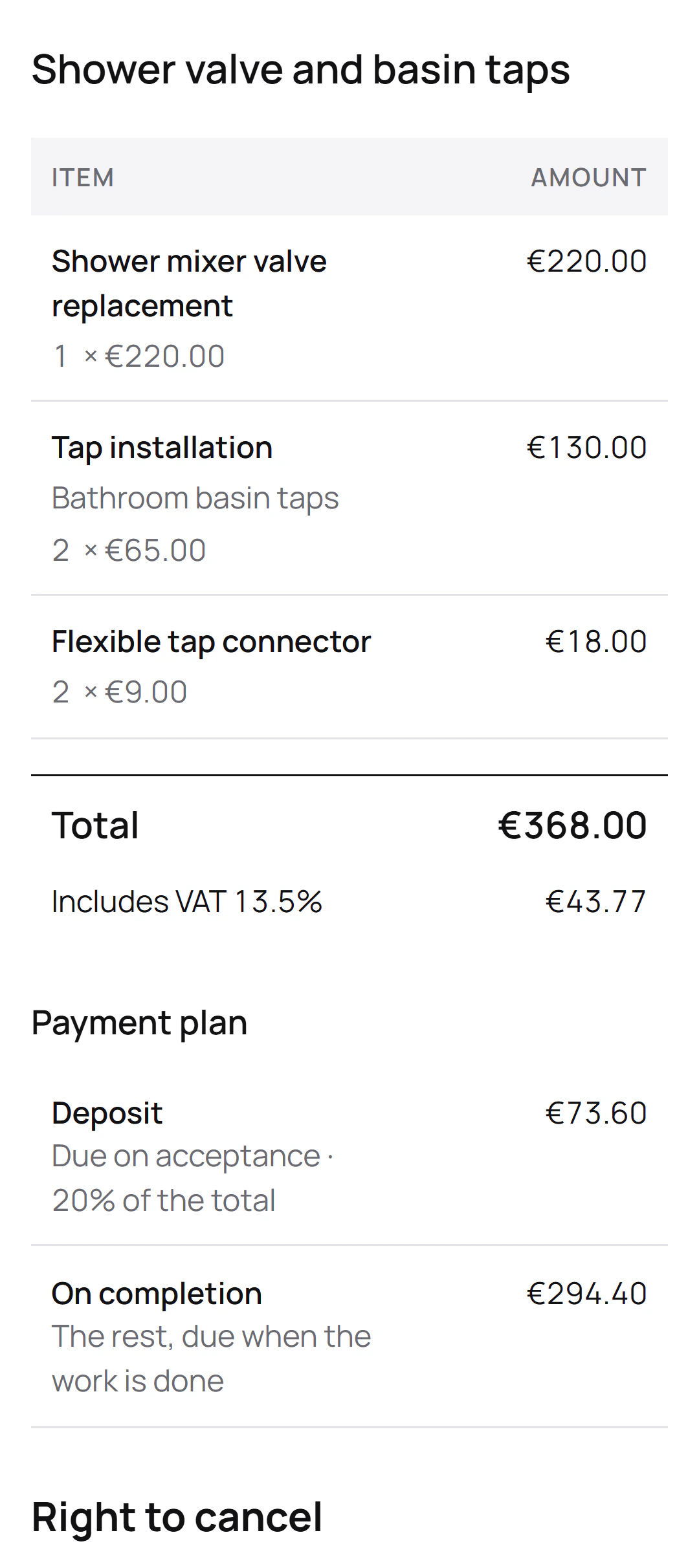
With payments on, every invoice’s page gets a Pay button for what’s left, and Stripe’s secure page takes the card in euro. A quote with a deposit turns into a deposit invoice the moment the customer accepts, ready to pay on the same page. The invoice shows Paid once it’s settled, and your phone tells you Payment received with the amount.
A deposit by link and a tap at the door
Seán Byrne is the Galway plumber behind this site’s screenshots, a demo business we made. Two of his jobs show both ways to take a card:
The payments
- Shower valve and basin tapsCiarán Kelly’s €73.60 deposit, 20% of €368.00, paid from the quote’s link
- Outside tapGráinne Ryan’s €120.00 invoice, INV-0109, tapped on Seán’s phone
Quotebird’s share
- Standard (1%): €0.73 on the deposit, €1.20 on the outside tap
- Pro (0.5%): €0.36 and €0.60
- Stripe’s card fee comes out of each payment as well.
The share on the deposit rounds down, so the fraction of a cent stays with Seán. Both payments go into his Stripe account in euro, and Gráinne gets her receipt by email.
Where does the money go?
Straight into your own Stripe account, a full account with Stripe’s dashboard. Quotebird never holds it: the charge is made on your account, and our share is taken from it as it goes through. Set it up from Settings → Get paid online. Quotebird opens it in Ireland and in euro with your business name and trade from your profile, and a sole trader goes in as an individual; Stripe’s form asks for the rest, like your date of birth and the bank account to pay into, and Quotebird doesn’t see it.
What does each card payment cost?
Stripe’s own card fee, charged to you by Stripe, plus Quotebird’s share: 1% on Standard or 0.5% on Pro, rounded down to the cent. Cash, cheques and bank transfers you record don’t carry it. You see the share on the plans screen, in Get paid online, on the Tap to Pay screen and on each payment. See pricing.
What happens to your share when I refund?
It comes back with the refund, in proportion to what you return, as long as you refund in Quotebird: tap the payment, then Refund, all or part. Stripe keeps its own fee, and a refund made in the Stripe dashboard keeps our share. If a customer cancels from the link within their cancellation period, the quote shows Refund the customer with the date you have until: 14 days from the cancellation.
Questions
When does the money reach my bank?
On your Stripe payout schedule. Quotebird sets new accounts to daily once, and you can change it in your Stripe dashboard. If you choose Manual, each card payment shows This money waits in Stripe. The first payout depends on Stripe’s checks.
Do customers need Stripe or an app?
No. They pay from your link on their own phone, or tap their card on yours. Only you need a Stripe account.
What if my phone can’t take Tap to Pay?
The app tells you, and the invoice’s payment link does the job instead. Tap to Pay also needs your location, which Stripe requires, and your business address in your profile.
Will the customer see your share?
No. It shows only on your own screens, and the customer pays the invoice’s amount and nothing more.
Step by step, with every button
Questions? Write to us at support@quotebird.app.