
Tap to Pay and card payments for tradies
Customers tap their card on your phone on site, or pay the deposit from your quote’s link. Every dollar goes into your own Stripe account, and nothing passes through Quotebird.
Coming soon to the App Store and Google Play.
How do I take a card on site?
With Tap to Pay on iPhone and Android: no reader, no dongle. Open the invoice and tap Tap to Pay, or Tap to Pay on iPhone on an iPhone. The customer holds a contactless card, or a phone or watch with a wallet, against the back of your phone, and punches in a PIN on your screen if the card asks. Paid comes up with the amount, and the receipt goes by email or with Share receipt.
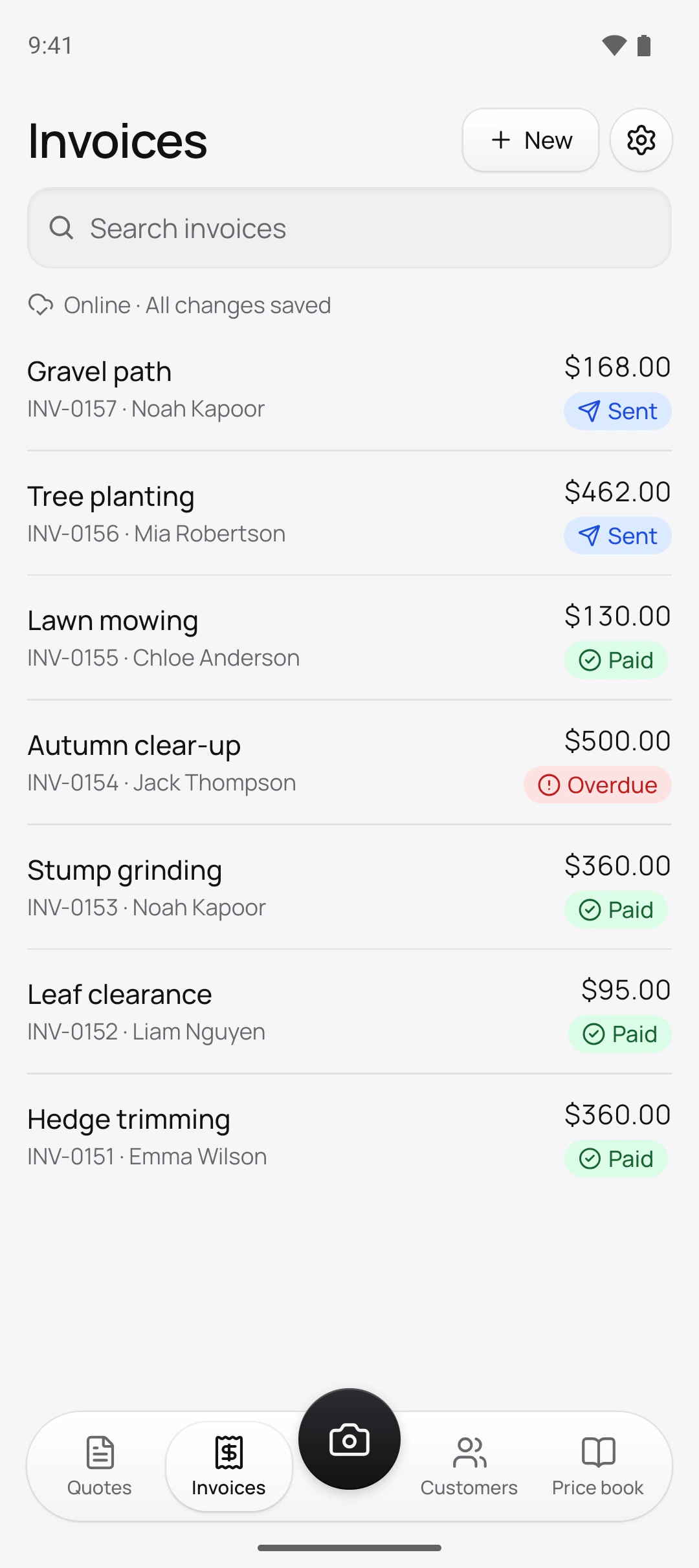
A quick job with no invoice? On the Invoices tab, tap New, then Tap to Pay, fill in What it’s for and the Amount, and Quotebird issues a numbered invoice before it reads the card. You can also pick Tap to Pay when you send an invoice.
Can customers pay from the quote’s link?
Yes, by card. Once payments are on, the invoice page has a Pay button and Stripe’s secure page takes the card in Australian dollars. When a quote asks for a deposit, the deposit invoice appears on the same page as soon as the customer accepts. Quotebird emails the receipt, and your phone shows Payment received with the amount.
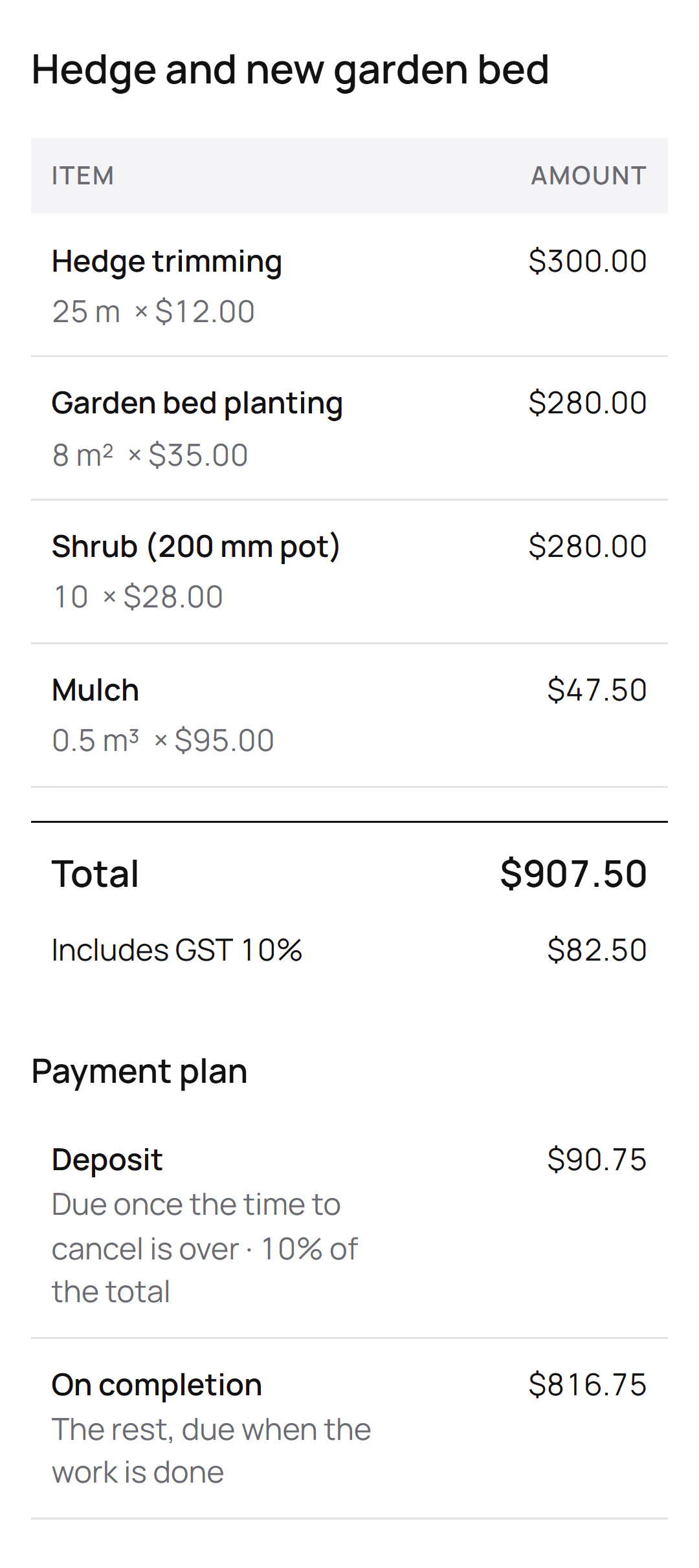
If the quote is an unsolicited consumer agreement, the ACL bars payment for 10 business days: the deposit reads Due once the time to cancel is over, Tap to Pay won’t take it either, and the link opens by itself when the days are up.
A hedge and a garden bed, signed on site
Jess Taylor is the New South Wales landscaper from this site’s screenshots, a demo business we built. Liam Nguyen signed her quote on her phone at the visit: $907.50 including GST, with a 10% deposit. Signed on site, it’s an unsolicited consumer agreement, so card payments on it go like this:
The two payments
- Deposit$90.75, once Liam’s 10 business days to cancel are over, when the link opens by itself
- On completion$816.75, on the final invoice, by the link or Tap to Pay
Quotebird’s share
- Standard (1%): $0.90 on the deposit, $8.16 on the rest
- Pro (0.5%): $0.45 and $4.08
- Stripe’s card fee comes out of each payment as well.
Quotebird counts Liam’s 10 business days with the New South Wales public holidays, and emails him the link when the deposit opens. Both payments go straight into Jess’s Stripe account in Australian dollars.
Where does the money go?
Into your own Stripe account, a full one with Stripe’s dashboard, never through Quotebird. The charge is made on your account; Stripe takes its fee from it and our share comes off the same payment. Set it up in Settings under Get paid online: Quotebird opens the account in Australia with your business name and trade from your profile, and Stripe’s form asks the rest, like your date of birth and the bank account for payouts.
What does Quotebird take from a card payment?
1% of the payment on Standard, 0.5% on Pro, rounded down to the cent, on top of Stripe’s own fee. The share is worked out on what the customer pays, GST included. Cash and bank transfers you record carry none, and your customer never sees the share. See pricing.
How do refunds work?
Tap the payment under Payments, then Refund, and give back all or part. The money goes back to the card from your Stripe balance; if the balance is short, the refund shows Pending until Stripe can make it. Refund in Quotebird and we refund our share too, in proportion. Do it from your Stripe dashboard and our share stays with us; Stripe keeps its own fee either way.
When do payouts hit my bank?
On the schedule in your Stripe account. Quotebird sets a new account to daily payouts once, and from then on it’s yours to change in Stripe. Switch to Manual and every card payment in Quotebird says This money waits in Stripe until you pay it out. The first payout depends on Stripe’s checks.
Questions
Does Tap to Pay need a card reader?
No. Your phone reads the card. It needs your location, which Stripe requires, and your business address in your profile. How to use Tap to Pay opens the first time; on an iPhone with iOS 18 it’s Apple’s own guide.
What if a card won’t tap?
Some cards have to go in a card machine, which Tap to Pay can’t do. Send the invoice’s payment link and the customer pays on their own phone.
Can the customer pay part of an invoice?
The link asks for what’s left, in one payment. Split a big job with a deposit and stages on the quote, and invoice each stage when it’s due.
Do customers need an app?
No app and no login. They pay from the link on their own phone, or tap their card on yours.
Step by step, with every button
Questions? Write to us at support@quotebird.app.