
Quote and invoice app for Aussie tradies
Snap the job, talk it through, and Quotebird drafts the quote from your own prices, GST included. Your customer accepts and pays from a link, and the quote becomes a tax invoice in one tap.
Coming soon to the App Store and Google Play.
- 7 days free
- iPhone and Android
- GST tax invoices
From the site visit to the paid invoice
Snap and talk
Photos and a voice note on site, while it’s all in front of you.
Check the draft
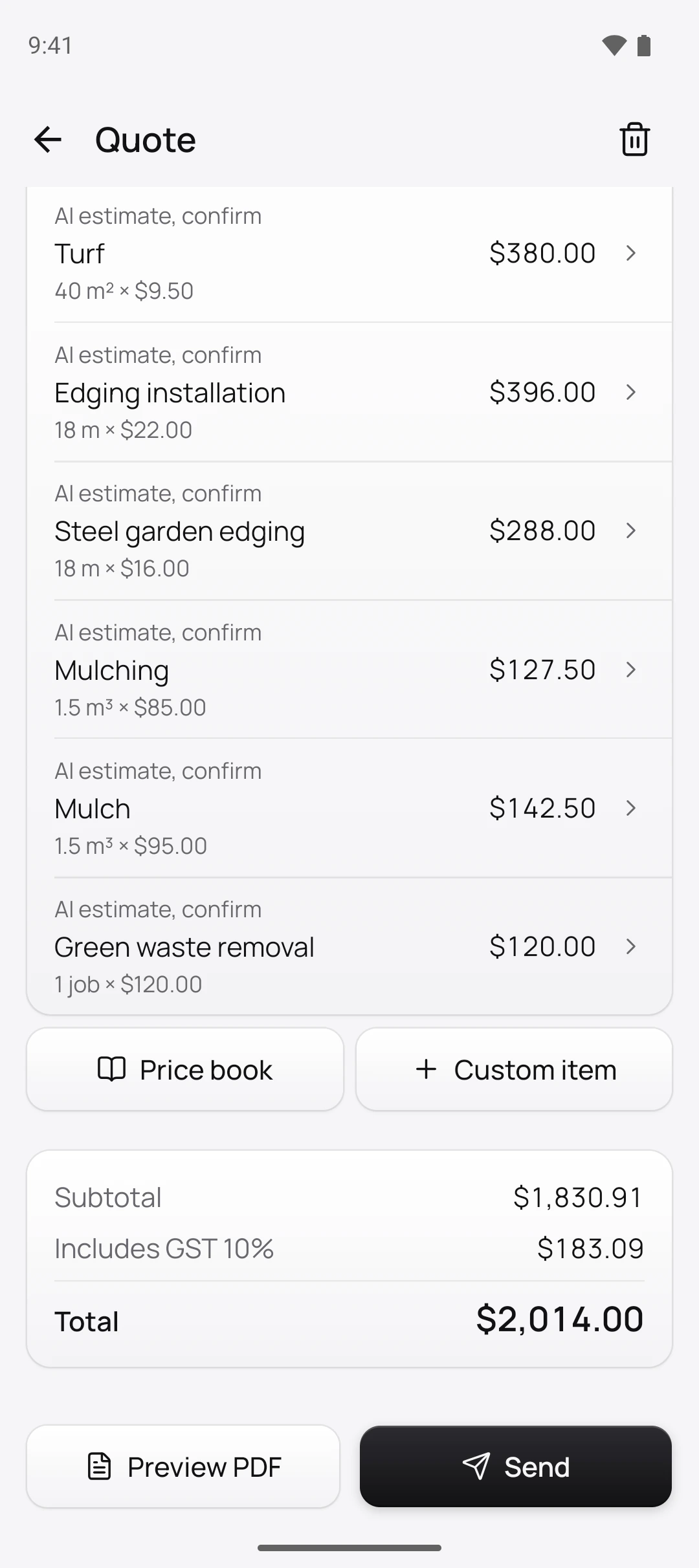
Lines and quantities come back priced from your own price book, GST included.
Send and get paid
The customer accepts and pays the deposit from a link, or taps their card on your phone.
Built for tradies, not office staff
Talk the job, get the quote
“Lay forty square metres of turf, edge the garden beds and mulch them.” Quotebird turns the voice note and photos into lines and quantities for you to check. Pics the customer sends you work too: add them from your library.
How quotes from photos work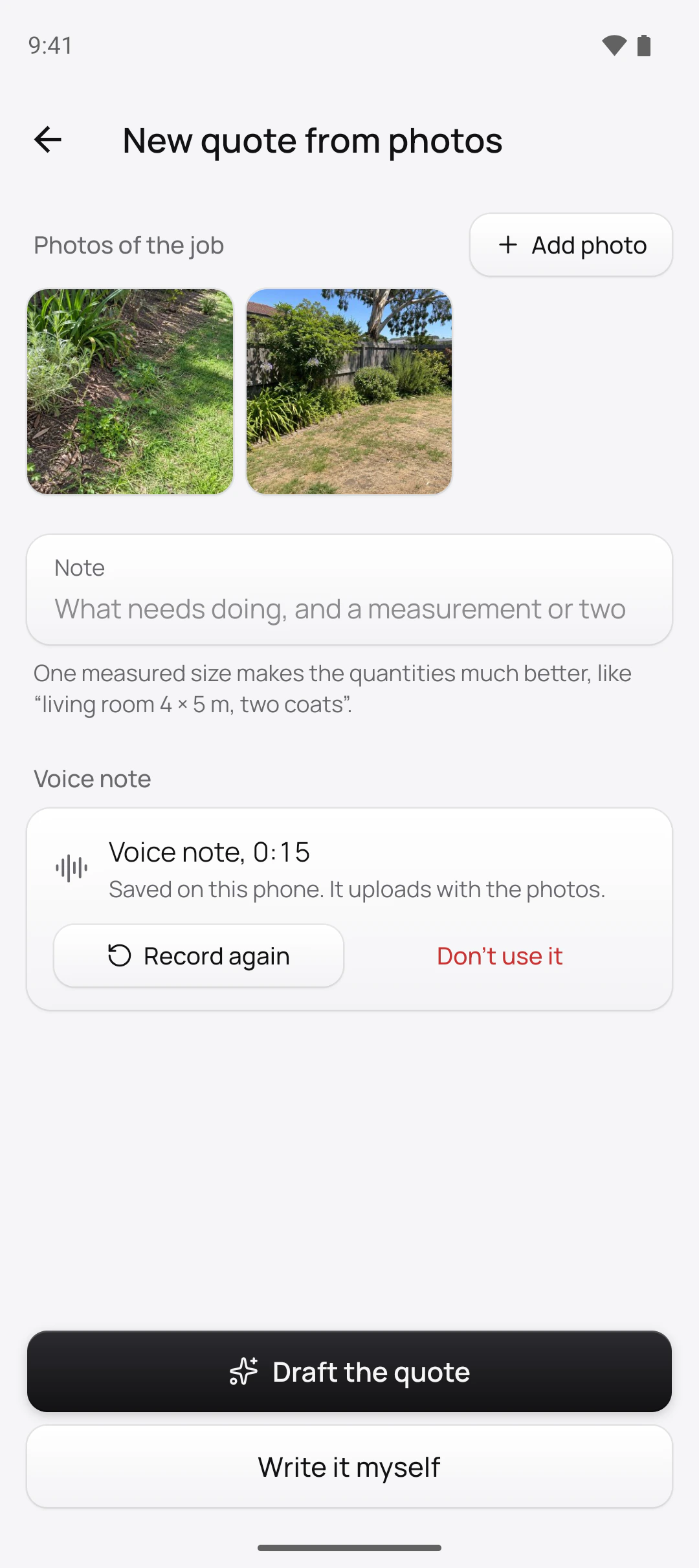
Your prices, never the AI’s
The AI suggests the work; your price book sets every dollar. Starter price books for sparkies, plumbers, painters, landscapers, cleaners and handymen use Aussie words and metric units.
How the price book works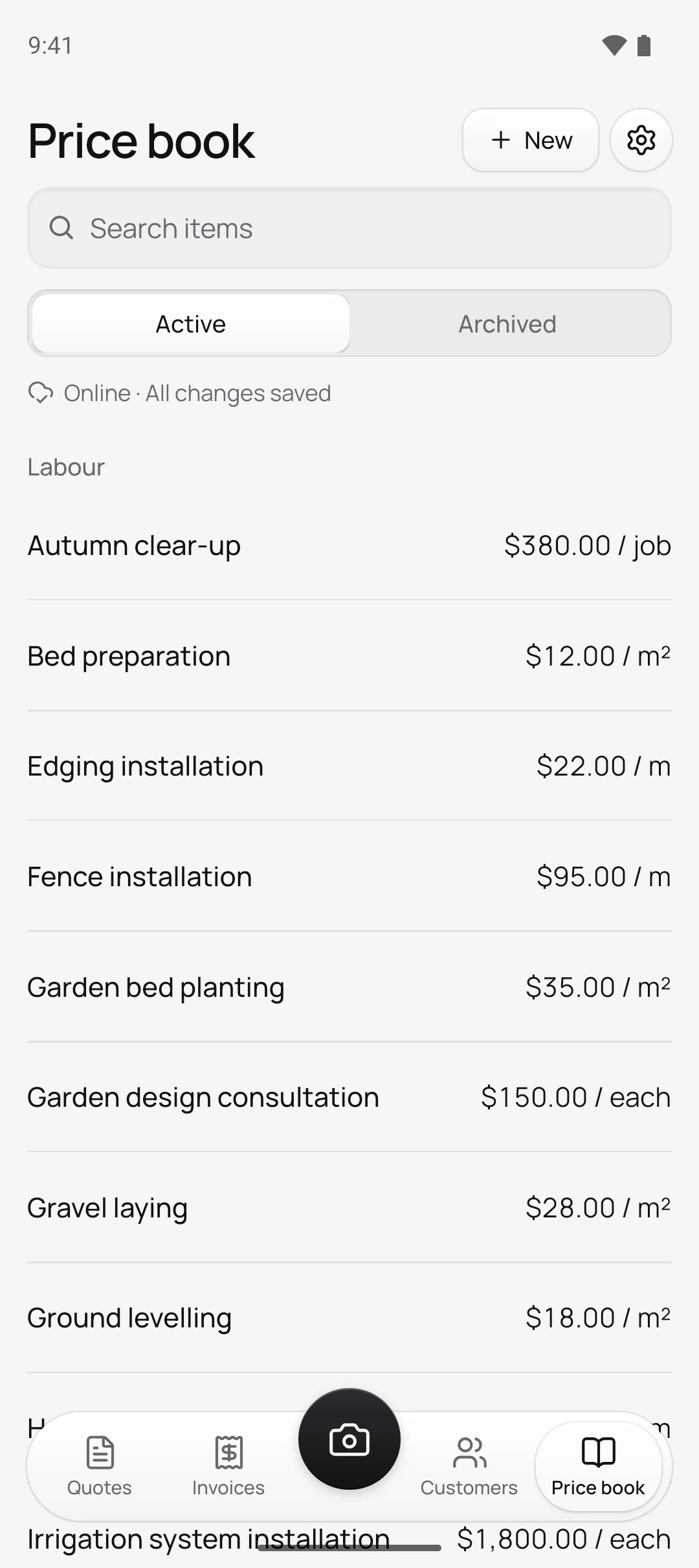
Accepted and paid from a link
Your customer opens the quote on their phone, accepts it and pays the deposit by card. No app and no login for them.
How customers sign and pay quotes online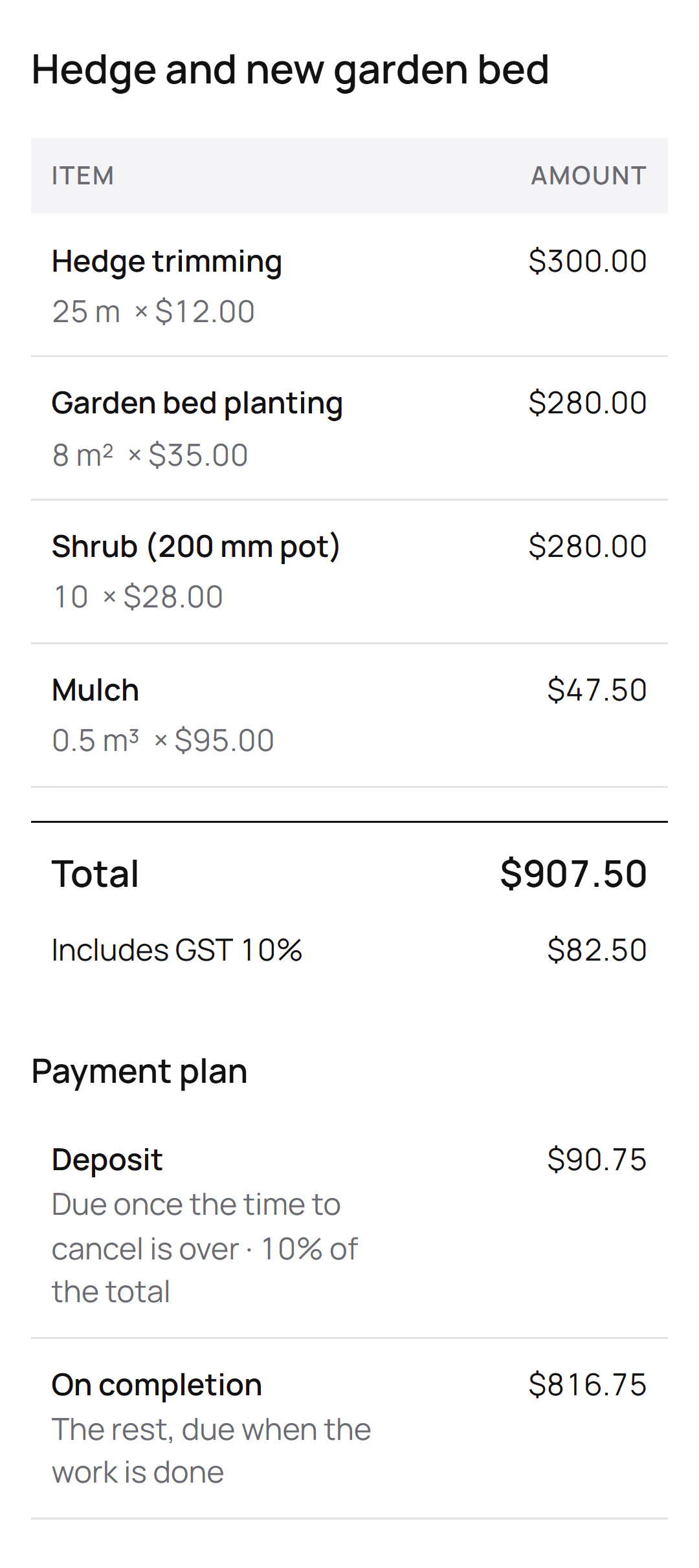
Quote to tax invoice in one tap
Tax invoices number themselves and are never deleted, only voided or credited with an adjustment note. Record cash and bank transfers, or take cards on site with Tap to Pay on iPhone and Android.
How tax invoices work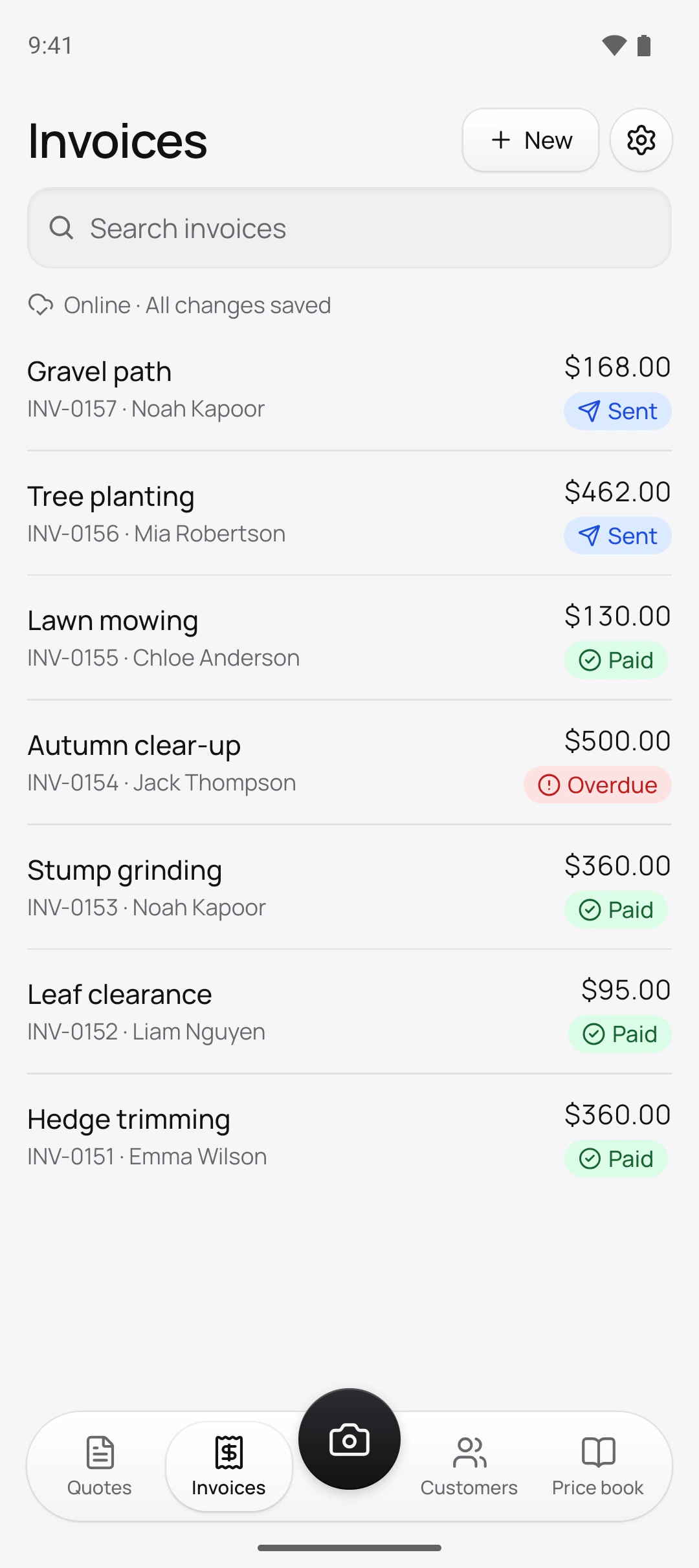
GST, ABN and the ACL, sorted
The Australian Consumer Law and each state’s home building rules set what a quote must say. Quotebird reads the job’s state and does it for you.
Tax invoices
Every invoice is a tax invoice with your ABN and the GST shown, and names the buyer when the total reaches $1,000. Prices include GST, the way the ACCC expects them shown.
Unsolicited consumer agreements
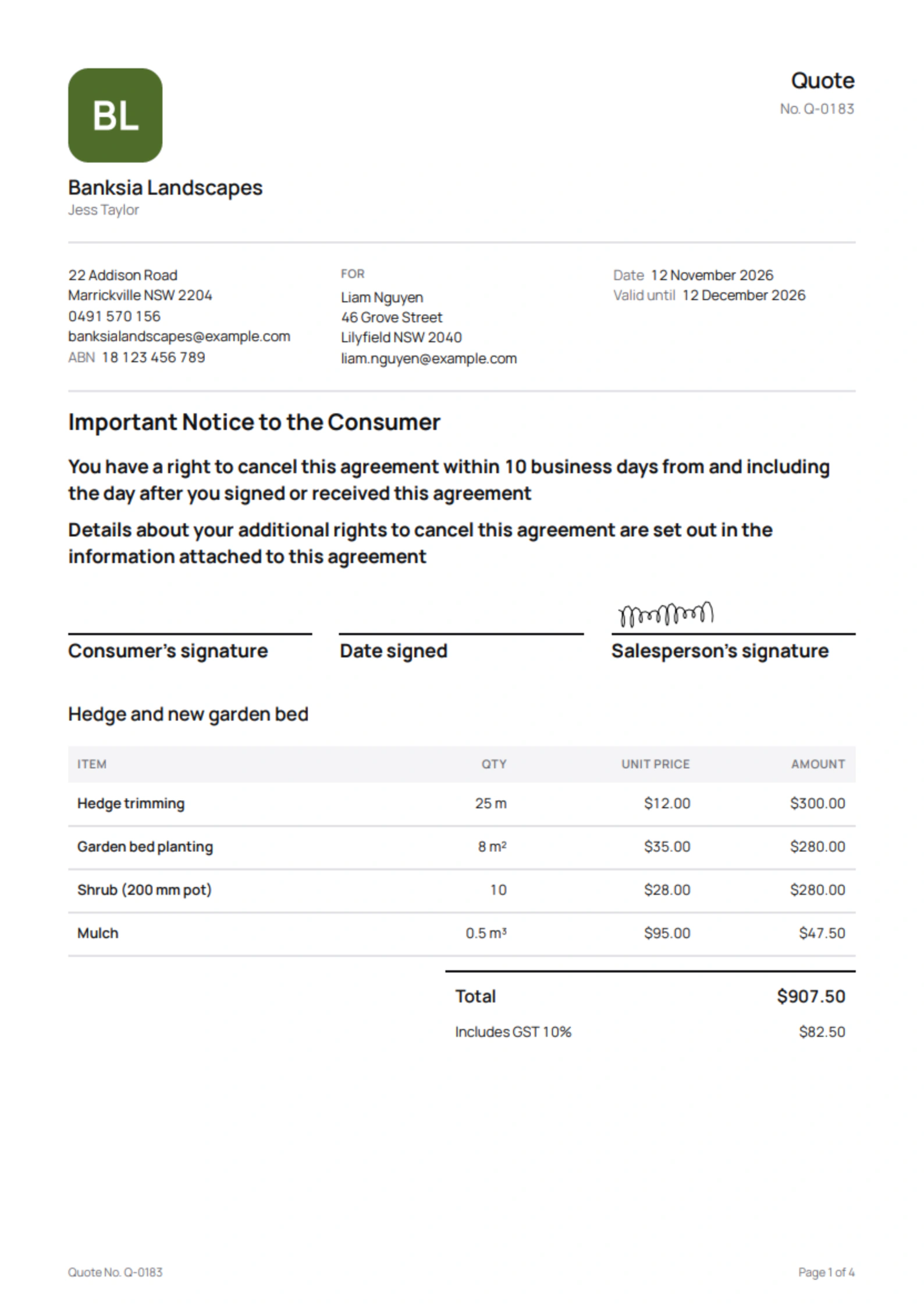
If you started the conversation, Quotebird adds the front-page notice and the termination information, and holds payment for the 10 business days, counting your state’s public holidays.
State deposit limits
Where a state caps deposits on home building work, the deposit drops to the limit and the rest moves into the payment schedule.
Signed on site
When the customer signs on your phone, Quotebird records it as an agreement made in person and applies the rules for that.
Quotebird adds the notices and forms to your paperwork; it isn’t legal advice.
And the rest of the job
Deposits and stages
Take a deposit when the quote is accepted, split a big job into stages, and invoice each stage when it’s done.
How deposits and progress payments workChange orders
Extra work gets its own numbered change order. The customer signs it from the link before you start, and the totals follow.
How variations workReminders that chase for you
Unpaid invoices get polite email reminders before and after the due date, sent in the daytime where you are. Turn them off for any invoice.
Your logo, your PDFs
Every quote, invoice and receipt carries your logo and details, and a fixed copy of what you sent is kept.
Help inside the app
Ask how to do something and get an answer from our help pages, with a link to the page.
Your data goes where you go
Export every PDF and a CSV of your records at any time. Delete your account from the app, after the export.
Two plans. Try either free for 7 days.
Standard
$7.99 a month
or $49.99 a year
- Unlimited quotes and invoices
- AI drafts from your photos and voice notes
- A page where customers accept, sign and pay
- Card payments and Tap to Pay into your own Stripe account
- Your logo on every PDF
- 1% platform fee on card payments
Pro
$14.99 a month
or $99.99 a year
- Everything in Standard
- Your own link where customers send you jobs with photos
- 0.5% platform fee on card payments instead of 1%
Card payments your customers make through Quotebird carry the plan's platform fee, on top of Stripe's own fee. Refund in Quotebird and we refund our share too. Payments go straight into your own Stripe account: Quotebird never holds your money. Cash, cheque and bank transfers carry no fee.
Prices in US dollars; the App Store and Google Play show the price where you live. Subscriptions renew until you cancel them in the store, at least 24 hours before they renew. One free trial per store account. Subscribe in our first six months and your plan’s price won’t go up while your subscription renews without a break (Terms of Use, section 4).
Questions tradies ask
Are my invoices tax invoices?
Yes, when you’re registered for GST: they carry “Tax invoice”, your ABN and the GST, and name the buyer from $1,000. A credit says it’s an adjustment note.
What is an unsolicited consumer agreement?
An agreement you negotiated at the customer’s home or by phone without them inviting it, over $100. The customer gets 10 business days to change their mind, and you can’t take payment in that time. Quotebird asks who started it and handles the rest.
Does the AI decide what I charge?
No. It suggests the lines, quantities and units from your photos and notes. Prices come from your own price book, and Quotebird works out tax and totals itself. You check every quote before it goes.
What happens to my job photos?
When you ask for an AI draft, the photos and voice notes for that quote go to our AI provider to suggest the lines. It doesn’t use them to train its models, and you switch AI drafting on yourself. More in our privacy policy.
Do I need a Stripe account?
Only to take card payments. You can send quotes and invoices and record cash and bank transfers without one. Quotebird opens the Stripe account for you from your profile, and the money goes straight to you.
Does it work without signal?
Yes. Everything but sending saves on your phone: write the quote in a basement or a loft, and it sends and syncs when you’re back online.
Can I bring my customers from another app?
Yes. Import your customers and price list from a CSV file exported from another app or a spreadsheet, and export every PDF and your records whenever you like.
Is there a plan for teams?
Not yet. Quotebird is built for the person running the jobs. Team features are on the way; you can ask to hear about them in the app.
Questions? Write to us at support@quotebird.app.