
Tap to Pay and card payments for Canadian contractors
Customers pay the deposit by card from your estimate’s link, then tap a credit card or Interac debit on your phone when the work is done. The money goes into your own Stripe account, in Canadian dollars.
Coming soon to the App Store and Google Play.
Can customers pay with Interac?
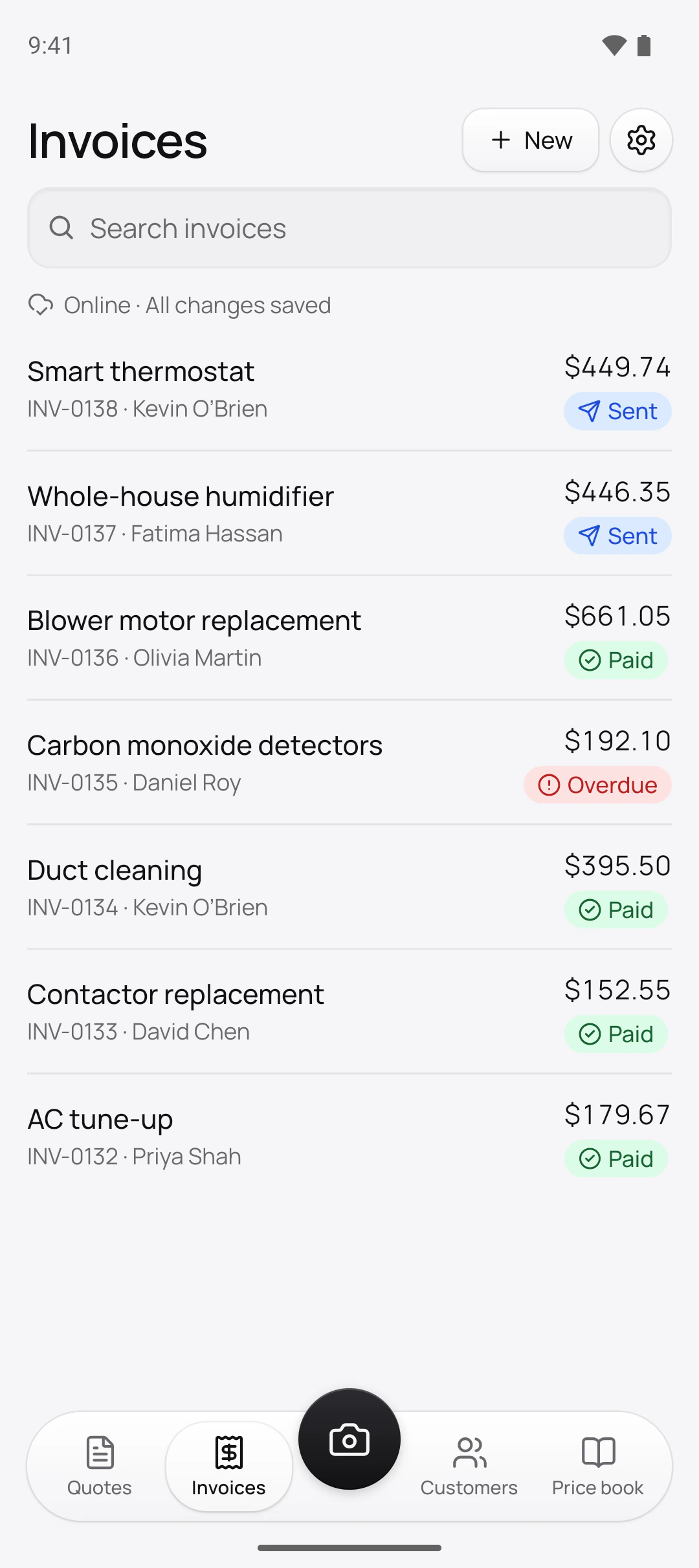
In person, yes. Tap to Pay on iPhone and Android takes Interac debit as well as credit cards and phone wallets. Open the invoice, tap Tap to Pay, and the customer holds their card near the back of your phone; a PIN, if the card wants one, goes in on your screen. From the link, customers pay by card on Stripe’s secure page.
An Interac e-Transfer that lands in your bank is different: record it on the invoice as a transfer, like cash or a cheque. Payments you record yourself carry no Quotebird share.
How does the deposit get paid?
On the estimate’s own page. When the customer signs an estimate with a deposit, Quotebird issues the deposit invoice right there, and its Pay button opens Stripe’s page for the amount due. The customer gets a receipt by email, and your phone shows Payment received with the amount but not the name.
An AC tune-up, paid by link and by tap
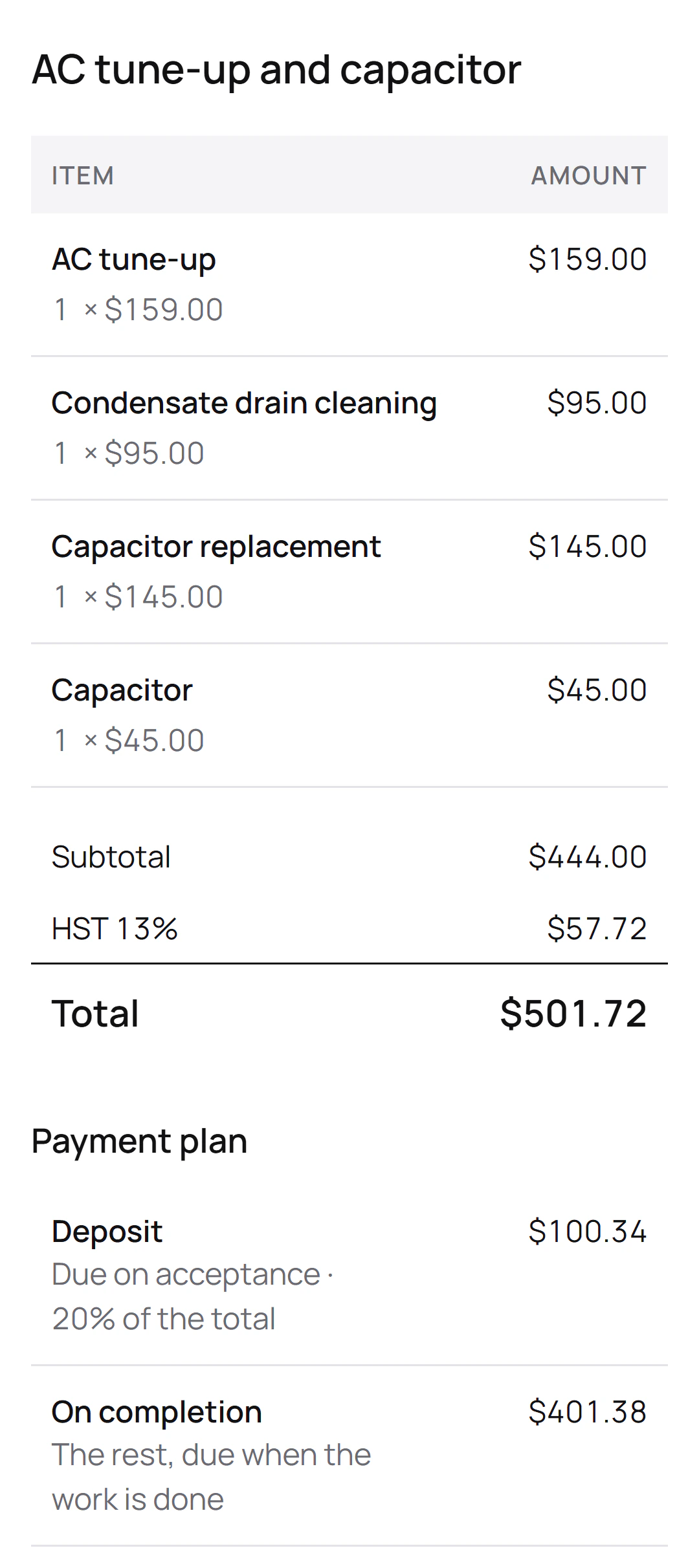
Mark Kowalski is the Toronto HVAC contractor behind this site’s screenshots. His estimate to David Chen for an AC tune-up, a drain cleaning and a new capacitor is $501.72 with 13% HST, and asks for a 20% deposit. Taken by card, it would split like this:
The two payments
- Deposit$100.34, by card from the estimate’s page once David signs
- On completion$401.38, Interac debit tapped on Mark’s phone at the end of the visit
Quotebird’s share
- Standard (1%): $1.00 on the deposit, $4.01 on the balance
- Pro (0.5%): $0.50 and $2.00
- Stripe’s fee comes off each payment as well, listed in Mark’s Stripe dashboard.
The share is worked out on what David pays, HST included, and both payments land in Mark’s own Stripe account. Had David needed money back on the balance, the Interac payment would return the way it came: he taps the same card on Mark’s phone.
Whose account holds the money?
Yours. Every payment is made on your own Stripe account, a full one with Stripe’s dashboard, and Quotebird never holds it in between. Stripe takes its card fee from the payment, and our share comes off the same payment. To start, open Get paid online in Settings and tap Set up payments: Quotebird opens the account in Canada with your business name and trade from your profile, and Stripe’s form asks for the rest.
Quotebird sets a new account to daily payouts once, and you change the schedule in Stripe after that. On Manual, each card payment shows This money waits in Stripe. When the first payout arrives is up to Stripe’s checks.
What does Quotebird take?
1% of each card payment on Standard and 0.5% on Pro, rounded down to the cent, on top of Stripe’s own fee. You see the share in Get paid online, on the Tap to Pay screen before the card is read, and on each payment afterwards; the customer doesn’t. The plans are in our pricing.
How do I refund an Interac payment?
In person, the way it was paid. Stripe can’t refund an Interac payment online, so you tap Refund and the customer taps the same Interac card on your phone. A credit card payment, from the link or tapped, is refunded in the app with no card needed, all or part, and we give back our share in proportion. A refund made in your Stripe dashboard keeps our share, and Stripe keeps its own fee either way.
Do Ontario and B.C. rules change anything?
For work done and paid for at the customer’s home on one visit, yes: Ontario and British Columbia want papers signed before you start. Tap Start work under New on the Invoices tab, and the customer signs an estimate with their right to cancel on your phone. Then do the job and take the card.
Questions
Does Tap to Pay work for Québec jobs?
On the final invoice, yes, Interac included. Before the work is done, a Québec contract made at a distance can be paid by credit card only: Tap to Pay won’t take it, and the app has you send the payment link, which takes credit cards alone.
Can the law hold a payment?
In Québec, a contract signed at the customer’s home can’t be paid until its 10 days to cancel are over. The customer’s page shows the date, and the link opens by itself when the time is up.
Does my customer need an app?
No. They pay from the link on their own phone, with no app and no account, or tap their card on yours.
What if Stripe asks for more information?
Get paid online shows Stripe needs more information, with a date when there is one. Tap Give Stripe the information before then, or Stripe pauses card payments until you do.
Step by step, with every button
Questions? Write to us at support@quotebird.app.