
Change orders for contractors in Canada
Halfway through the service call you find a worn part, or the homeowner wants one more thing done. Write it up as a change order from your price list, with GST or HST, PST or QST added for the province. They sign it before you carry on, and the last payment moves with it.
Coming soon to the App Store and Google Play.
What goes on a change order?
The work added or taken off, priced from your price list; the amount it adds to or takes off the contract; what that does to the payments; and whether the completion date moves. Quotebird prints all of it under your logo, names the estimate being changed, and numbers the document in a series of its own, CO-0001 onward, from our server when you send it.
The estimate the homeowner accepted stays as they signed it. Change orders are listed below it in the app, each with its status.
How do I make one from my phone?
From the accepted estimate, go to Change orders and tap New change order. Add items from your price list and mark each one Adds work or Takes work off. Set New completion date only if the change moves when you’ll finish.
Taxes, the customer and the job address carry over from the estimate. You can write the change order in a mechanical room with no reception; Sign and send needs a connection, because the number comes from our server, and it puts your saved signature on it for the business.
A pitted contactor on an AC tune-up
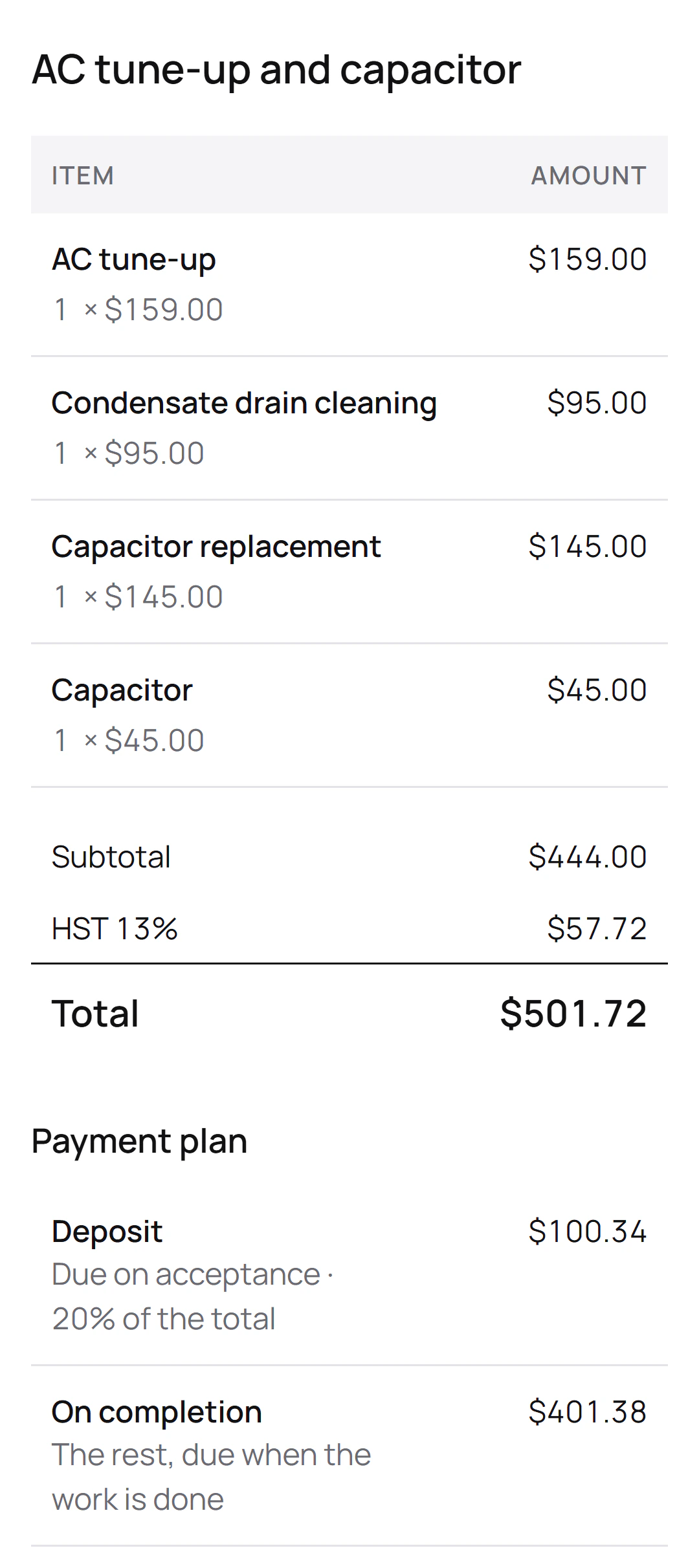
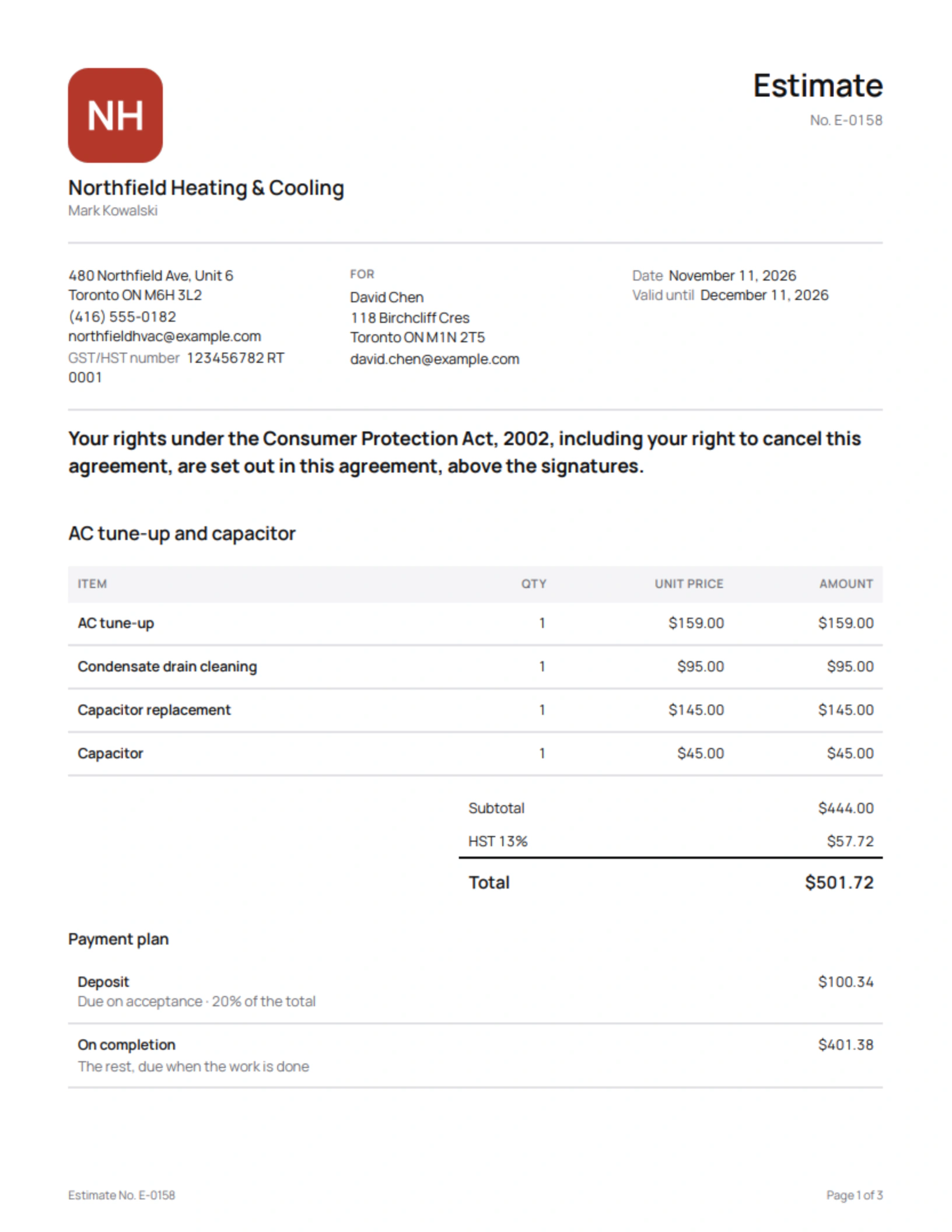
Mark Kowalski is the Ontario HVAC contractor behind this site’s screenshots, a demo business. His sent estimate for David Chen covers an AC tune-up, a condensate drain cleaning and a new capacitor, with a 20% deposit. Suppose the tune-up turns up a pitted contactor, and David wants the furnace filter changed too:
Lines on the change order
- Contactor replacementThe contactor is pitted
- Air filter replacement
- Air filter
What it shows
- $198 added before HST, at Mark’s own rates.
- The 20% deposit stays as agreed; the $198 plus 13% HST goes onto the payment on completion.
- The contract price: the estimate, this change order and the new total.
David signs on Mark’s phone and the contactor goes in on the same visit. The final invoice starts with the estimate’s four lines and adds the three from the change order, each marked with its number, and Quotebird’s Ontario check measures it against the new price, not the original estimate.
What if the final bill runs over the estimate?
On a homeowner’s estimate in Ontario, Quotebird checks the final invoice against the estimate plus 10% and warns you before it goes out if it’s over; in Alberta that 10% is capped at $100. A signed change order raises the figure it’s checked against, so extra work the customer agreed to in writing doesn’t trip the warning.
How does the homeowner sign it?
As they accepted the estimate: from the link, or on your phone with Customer signs on this phone while you’re in the house. They fill in their name and email, sign with a finger or let their typed name stand, and tap Accept and sign. A signed copy reaches both of you by email.
What does it do to the payments?
The deposit and any stage payments stay as the estimate set them. The change lands on the payment due on completion, up or down, and the change order prints what that payment was and what it is now. Back on the estimate, the app shows Contract price with changes.
There’s a floor when work comes off: a change order can’t take off more than is left to pay on completion. Money the homeowner already paid goes back with a credit note.
Can I send two change orders at once?
No, one at a time: the next goes once the homeowner signs the last. The final invoice waits while one is unsigned, and after it’s sent the contract takes no more changes.
Questions
Does it work for jobs in Québec?
Yes. A change order for a job in Québec goes out in French, as an “ordre de changement”, and its English version is kept with it for a customer who asks for English. Voir la page en français.
Can I revise a change order once it’s sent?
Until the homeowner signs, yes, and it keeps its number. Signed, it stays as it is; more work takes a new change order.
Does the customer pay for the change right away?
No. It’s billed with the rest of the job on the final invoice, which lists the estimate’s lines, then each signed change order’s, oldest first, and takes off any stage invoices already sent.
Step by step, with every button
Questions? Write to us at support@quotebird.app.