
Irish VAT invoices, straight from the quote
Tap Invoice on a sent quote and the customer, the items and the VAT are filled in for you. Every line shows its rate and its price before VAT, so the same invoice does for a household or a business.
Coming soon to the App Store and Google Play.
What goes on a VAT invoice from Quotebird?
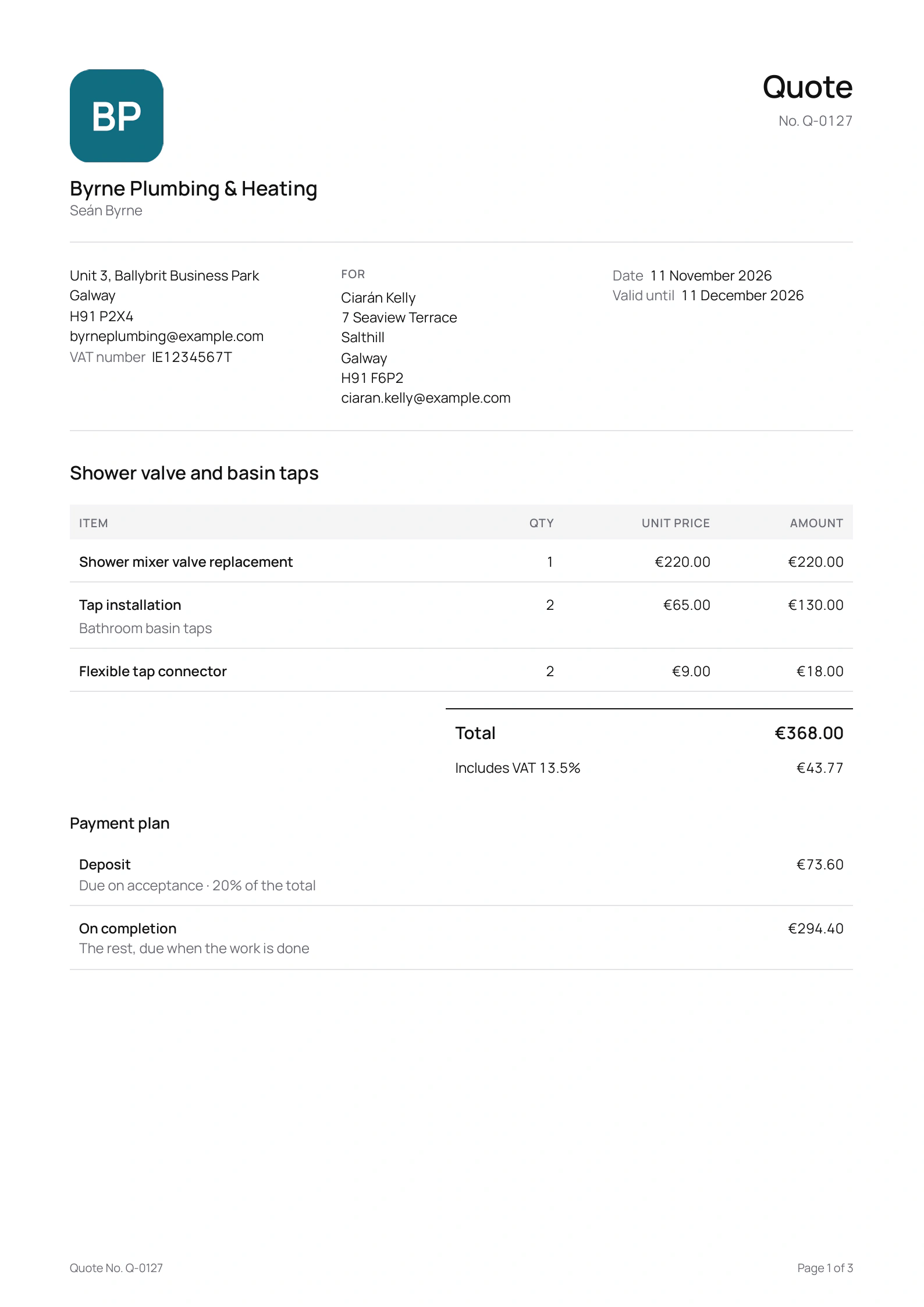
Turn on Registered for VAT in your profile and add your number, and each invoice is laid out as a VAT invoice: your VAT number, the customer’s name and address, and every line with its VAT rate, its unit price and its amount before VAT. The foot gives the total before VAT, the VAT at each rate and the total.
It looks like that at every amount, whether your prices include VAT or not. Since the address is part of it, Quotebird won’t send an invoice until the customer has one. Companies add their CRO number and, if it isn’t the address at the top, their registered office.
How do I invoice a job, with or without a quote?
For a quoted job, open the sent quote and, under Invoices, tap Invoice the deposit, a stage’s row, the Final invoice or Invoice. The draft comes in with the customer, the items and the VAT. Bring the items in line with the work, choose Payment due and send it as a link, a PDF or an email.
A blocked drain or a call-out with no quote goes straight on an invoice: New on the Invoices tab, then Write an invoice. Payment due can be on receipt, or 7, 14, 30 or 60 days, with 14 to start.
A plumber’s invoices in Galway
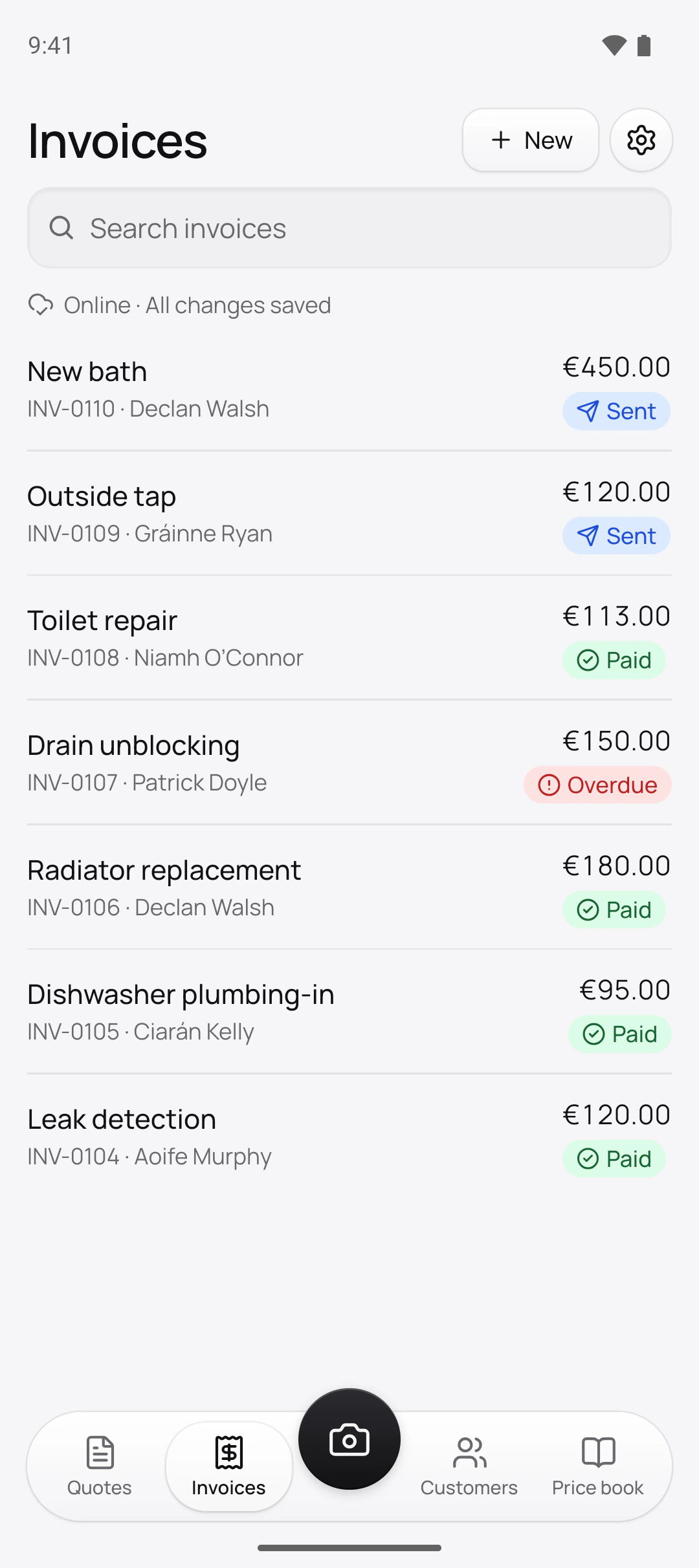
Seán Byrne is the Galway plumber in this site’s screenshots, a demo business we built for them. His work carries 13.5% VAT, and each of these invoices names the customer with their address and Eircode:
Seán’s invoices, oldest first
- INV-0104, Leak detection€120.00, paid by bank transfer
- INV-0105, Dishwasher plumbing-in€95.00, paid in cash on the day
- INV-0106, Radiator replacement€180.00, paid by bank transfer
- INV-0107, Drain unblocking€150.00, overdue
- INV-0108, Toilet repair€113.00, paid in cash on the day
- INV-0109, Outside tap€120.00, sent
- INV-0110, New bath€450.00, sent
Seán’s prices include VAT, yet each invoice still shows every line before VAT and the VAT added at the foot. The €113 toilet repair, for one, has two lines: the repair and the cistern fill valve.
How are invoices numbered?
In sequence, by our server, at the moment of sending: one series from INV-0001 with no gaps, and a separate one for credit notes, CN-0001. Drafts wait without a number, and a voided invoice holds on to its own. Moving across from another app, set the prefix and the next number under Settings → Document numbers before the first invoice goes, and the sequence picks up where yours left off.
How do I correct a VAT invoice?
With a credit note, or by voiding it; it’s never edited or deleted. A Credit note starts as a copy of the invoice’s items, which you lower to what you’re giving back. It prints your Reason and the number and date of the invoice it corrects, sets out its lines before VAT as the invoice does, and comes off what the customer owes.
Void invoice is for an invoice that shouldn’t exist, sent twice or to the wrong person. It keeps its number, is marked Void in your records, and its link stops taking payment. It works only while there’s no payment and no credit note against it.
How do I record cash or a bank transfer?
Tap Record payment on the invoice and choose Cash, Transfer, Cheque or Other. The amount starts at the balance and can’t go over it; add the date under Received on and a Reference if there is one. It works with no coverage. Once it’s all paid the badge says Paid, and Share receipt gives the customer a receipt stamped Paid. A wrong entry is reversed, never deleted.
Questions
Do I need to be registered for VAT?
No. Unregistered, your invoices carry no VAT and no VAT number. Turn on Registered for VAT when you register, and invoices from then on are laid out as VAT invoices.
Can one invoice mix VAT rates?
Yes. Your rates start at 13.5%, 23%, 9% and 0%. Each line keeps its own rate, and the foot shows the VAT at each one.
How long do I keep invoices?
The export screen gives Revenue’s rule: 6 years from the date of the transaction the records relate to. An export holds every invoice and receipt you sent, as PDFs exactly as your customers got them.
What do Due soon and Overdue mean?
Due soon: the due date is 3 days away or less. Overdue: it has passed, and it’s the only badge in red. A part-paid invoice keeps its badge, with what’s left under Payments.
Step by step, with every button
Questions? Write to us at support@quotebird.app.