
A price book that prices every quote
Put your prices in once, from the call-out charge to a metre of cable, and every quote is priced from them. Start from your trade’s book in British words and let the AI pick the items. The pounds and pence are always yours.
Coming soon to the App Store and Google Play.
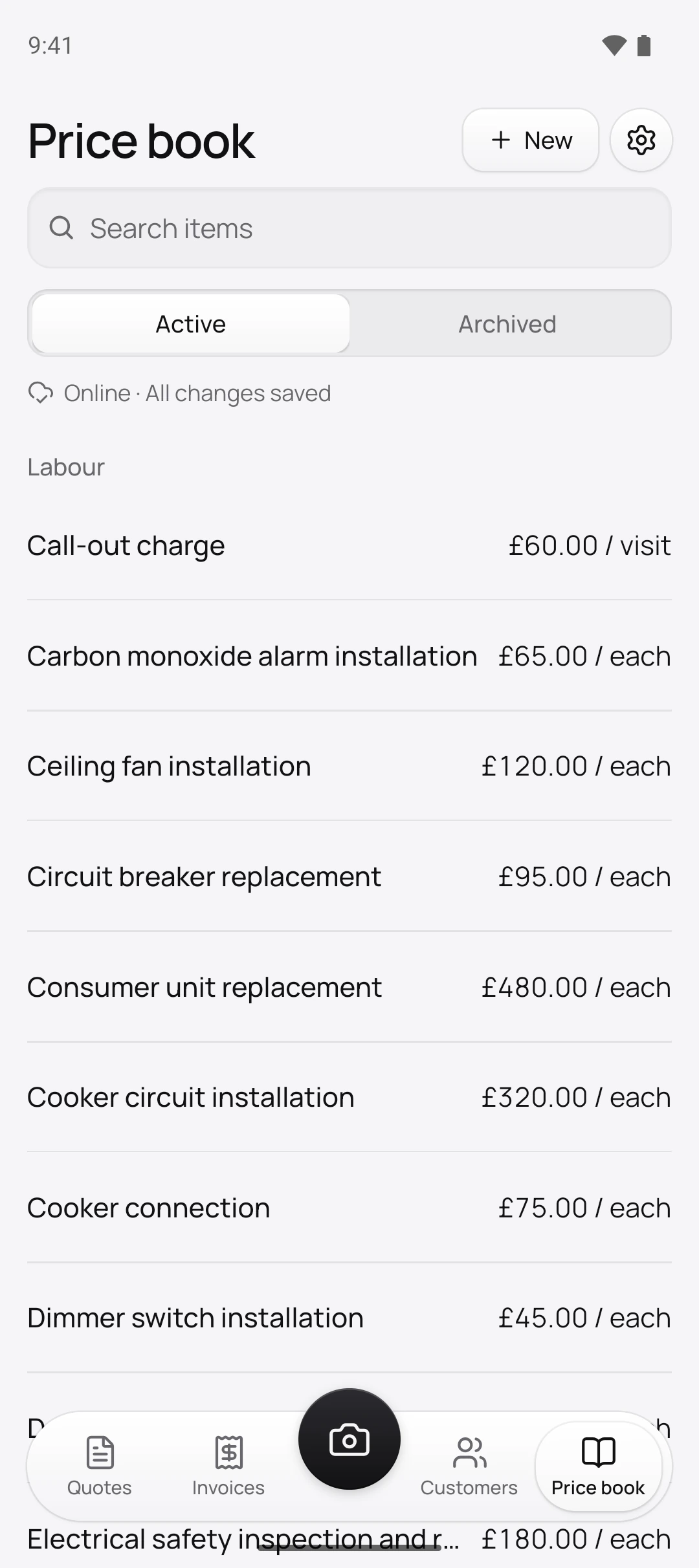
What is a price book, and why keep one?
It’s the list of everything you charge for, and every quote and invoice takes its prices from it. That keeps you consistent: a double socket costs the same on Monday’s quote as on Friday’s.
On the Price book tab, tap New. Give the item a Name, then pick the Type (Labour, Material or Other), the Unit, like each, hour, metre or m², and the price. Not sure of the price yet? Leave it blank, and the item shows No price until you set one.
Do I have to write it all out myself?
No. Tap Choose your trade on an empty book and Quotebird adds 30 to 80 items in British words and metric units. The electrician’s book has consumer units, RCBOs and twin and earth by the metre; the heating engineer’s covers boilers, radiators and heat pumps; decorators get emulsion and satinwood by the litre.
Enter Your hourly rate and it goes on the hourly items, which for an electrician means Labour and Fault finding. Everything else starts empty, to be priced as the jobs come in.
A consumer unit job, priced from the book
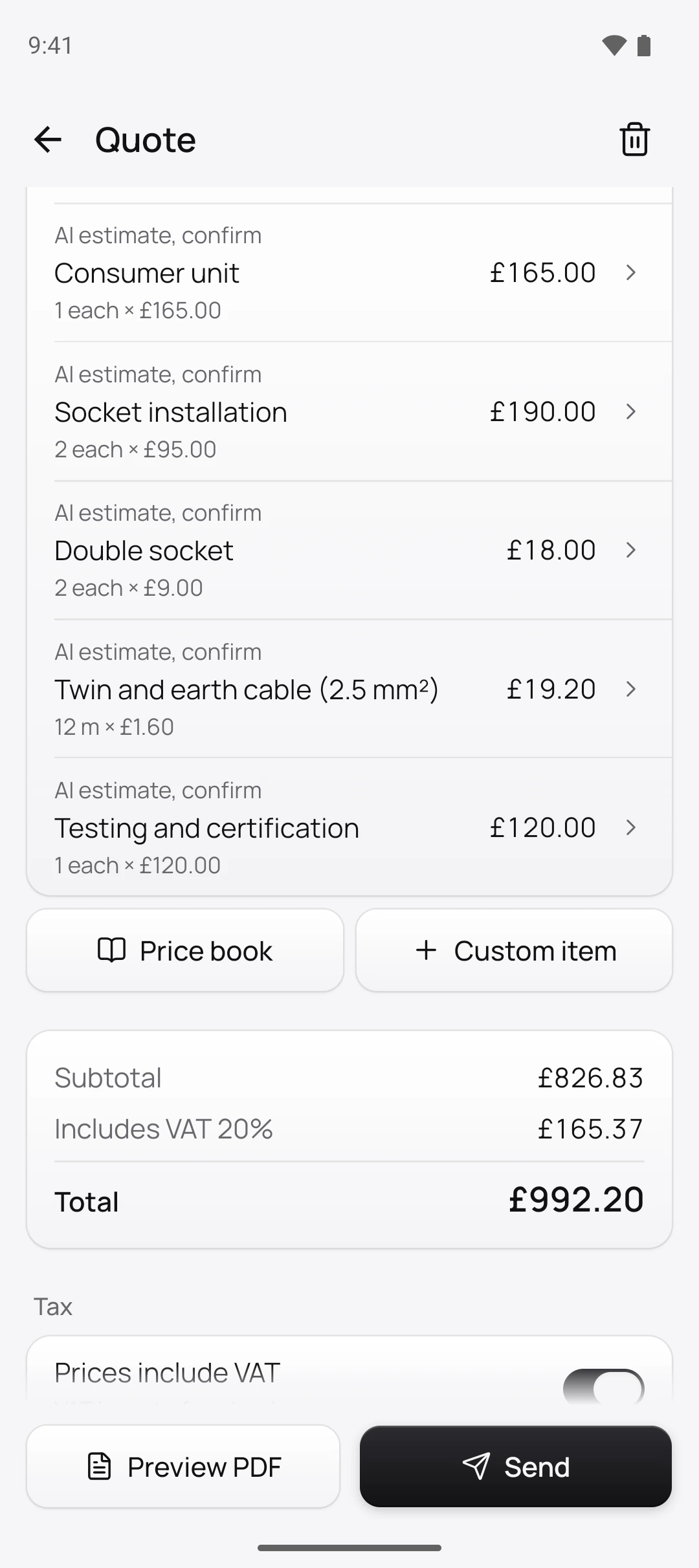
Tom Hartley is the London electrician in this site’s screenshots, a demo business we set up for them. He started from the electrician’s book with his £55 hourly rate and priced the rest himself. For a new consumer unit and two kitchen sockets, the draft took six items from it:
Labour
- Consumer unit replacement£480.00
- Socket installation£95.00 each, two of them
- Testing and certification£120.00
Materials
- Consumer unit£165.00
- Double socket£9.00 each, two of them
- Twin and earth cable (2.5 mm²)£1.60 a metre, 12 metres
The quote came to £992.20 with VAT included, £165.37 of it VAT at 20%. Tom’s book prices already include VAT, so each price the draft used is the one his customer reads on that line.
Do the prices in my book include VAT?
They do if you want them to: the book has no VAT setting, the quote has. A new quote starts with Prices include VAT switched on, so the price in your book is the price your customer pays and Quotebird works the VAT out of it. Switch it off and VAT goes on top instead.
Each line takes your default rate, 20%, when it’s added. Tap a line to change it to 5% or 0%, the other rates Quotebird sets up for a VAT-registered business.
Will the AI make up prices?
Never. When you draft a quote from photos, the AI is shown your item names, units and types, and not one price. It chooses items and estimates how many; Quotebird does the multiplying. Up to 50 of your item names also go with the voice note to the transcription, as words to listen out for.
If the job needs something your book hasn’t got, that line comes in as No price. Price it, tap Save, and choose Save to price book to have it priced next time, or Only this quote.
What happens when I put my prices up?
Change the item once, and only what comes after changes. New quotes use the new price, and so does any draft you add the item to; quotes and invoices already sent keep what they said. A job you’ve stopped doing goes to Archive: off the list, out of new quotes and away from the AI, kept under Archived and brought back with Restore. Items are never deleted, since a sent quote may name them.
Can I bring my prices over from another app?
Yes, as a CSV file with a header row, from Joist, your old app or a spreadsheet. In Settings → Import customers and items, choose Price book, then Choose CSV file, and check the Columns Quotebird matched. Up to 5,000 rows go in at once; items you already have, by the same name and unit, are skipped.
Questions
Can I price cable by the metre and walls by the square metre?
Yes. Metric units come first: metre, square metre, cubic metre, litre, kilogram and tonne, beside each, hour, day, job, visit and room. If the AI measures in feet, Quotebird converts it to the metres your item uses.
I’m not VAT registered. Do I need different prices?
No. Your book holds one price per item. With Registered for VAT off in your business profile, quotes and invoices charge no VAT; switch it on when you register and the same book carries on.
Can I take my price book to another app later?
Yes. Settings → Export your data gives you a zip with every PDF you sent and a price-book.csv, archived items included, that opens in Excel, Numbers or Google Sheets.
Step by step, with every button
Questions? Write to us at support@quotebird.app.