
Quotes and invoices your customers pay from a link
Send the quote or the invoice as a link or an email. The customer accepts on their phone and pays by card, the money goes straight to your Stripe account, and Quotebird chases late invoices by email.
Coming soon to the App Store and Google Play.
How does a customer accept a quote from a link?
They open the page, check the quote and sign at the bottom. It shows your logo and the quote as printed, GST included, with nothing to install and no account to create. Download PDF saves a copy, and a short note tells them your business looks after their details, with Quotebird storing them for you.
Accepting takes a few taps: any notice that wants initials, the okay to get documents electronically, a name and an email, then a drawn signature or the typed name. After Accept and sign, the signed copy goes to the customer and to you.
How do I send it?
Tap Send where you’ve got coverage, since our server gives the quote its number, and Quotebird keeps a copy that can’t be changed. Then choose Share link, Share PDF or Email to ….
The email comes from your business’s name with “via Quotebird” and the PDF attached, and replies go to your business email, not your sign-in. The cap is 100 a day.
A toilet replacement, sent to Rachel Kim
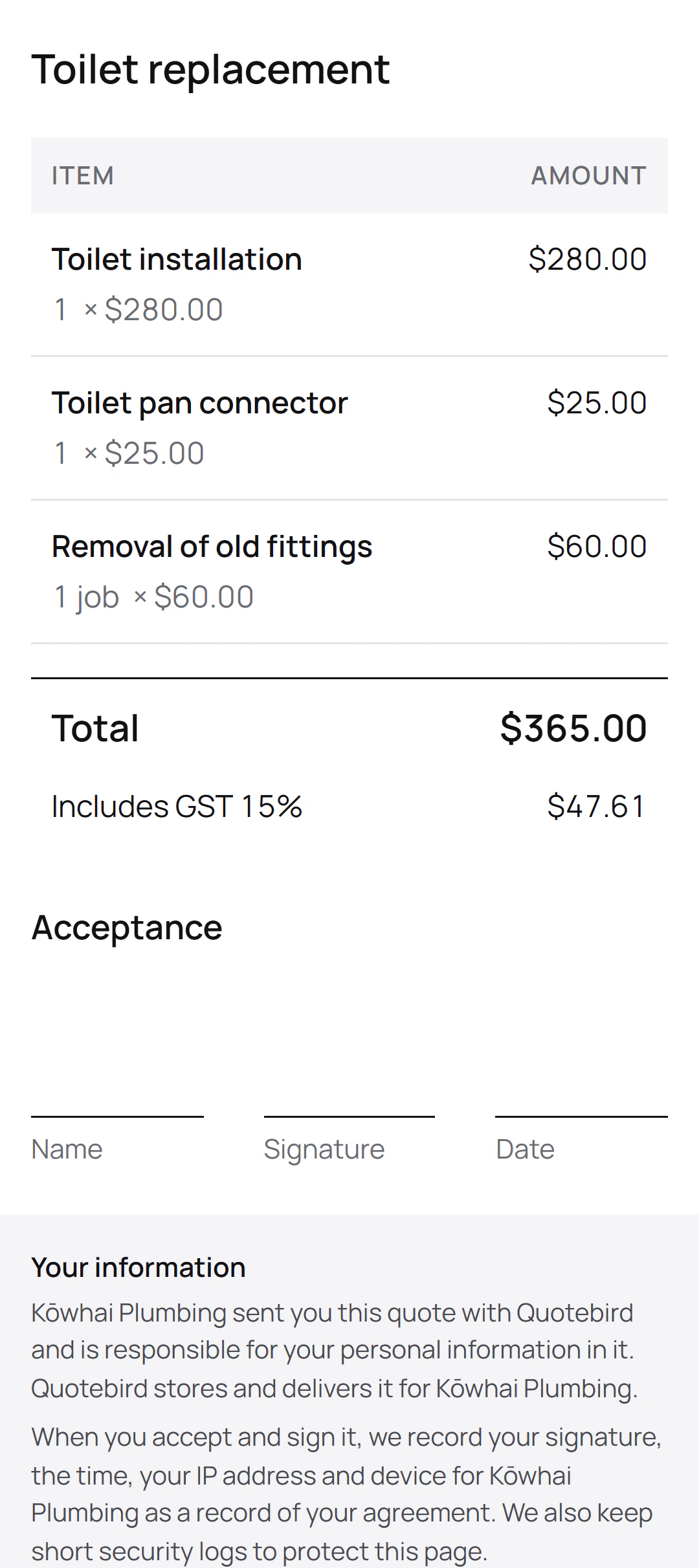
Ben Walker is the Wellington plumber in this site’s screenshots, a demo business we made for them. Rachel Kim rang him about her toilet, and he sent the quote without a deposit:
What the quote lists
- Toilet installation
- Toilet pan connector
- Removal of old fittings
What Rachel’s page shows
- A total of $365.00, with $47.61 GST included.
- A place to accept and sign, under the total.
- A note that Kōwhai Plumbing is responsible for her details.
Rachel asked Ben to come, so there’s no front page and nothing waits. Once the new toilet is in, Ben invoices the job from the quote and Rachel pays from the invoice’s own link.
Can customers pay the invoice from the link too?
Yes. With Stripe set up, every invoice’s page has a Payment box showing what’s left. The customer taps Pay, pays on Stripe’s secure page, and the money goes straight to your own Stripe account. Quotebird emails them a receipt, and the invoice shows Paid once nothing is left.
Turn on Notify me when a customer pays in Settings and your phone says Payment received with the amount, never who paid.
What about a sale I started at the door?
For an uninvited direct sale over $100, started at the customer’s home or by your phone call, Quotebird prints the front page the Fair Trading Act asks for and holds payment for the 5 working days. The page tells the customer the day they can pay; on that day the payment opens and they get an email with the link. A job the customer called you about isn’t held.
Who chases late invoices?
Quotebird, for the ones you sent with Email to …. With 7 days or more to pay, a reminder goes 3 days before the due date; after it, reminders go at 1, 7, 14 and 30 days. Each goes once, between 9 am and 6 pm your time, with the invoice and what’s still owing, and never two at a time. They stop when the invoice is paid, voided or credited; switch them off for one invoice, or for all in Settings.
Can I see it’s been opened, or change it?
The sent quote’s Customer page row goes from Not opened yet to Viewed with the date, not counting link previews or your own look, and you get an email when it’s accepted. Revise reopens a sent quote under the same number and link; the customer can’t accept until you tap Send revision.
Questions
Can the customer sign on my phone instead?
Yes. Choose Customer signs on this phone and the page opens on your phone for 30 minutes, for that version only. They get the signed copy by email, the same as from their own phone.
Does an invoice over $1,000 show what IRD asks for?
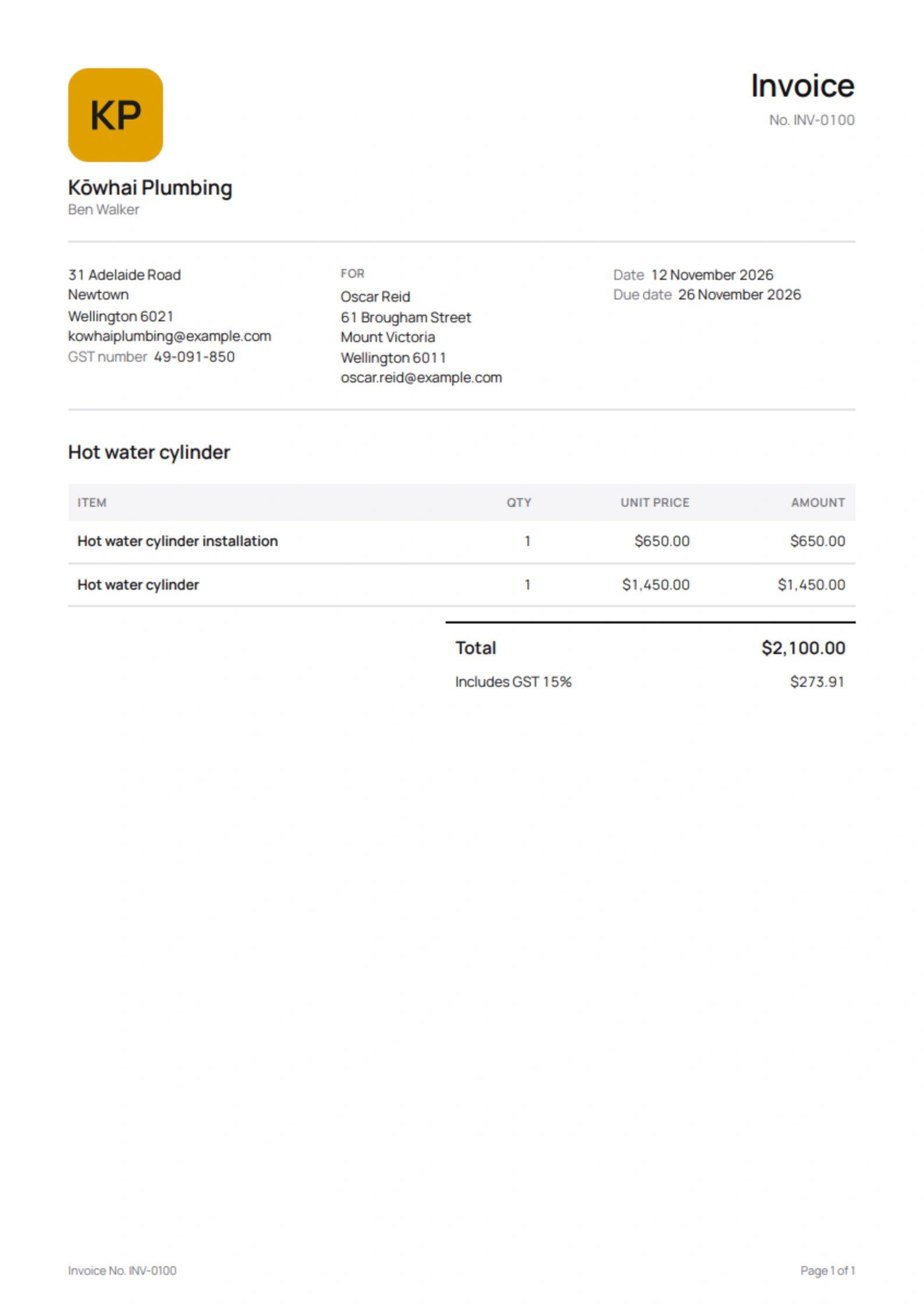
Yes: your GST number over $200, and the buyer’s name and a contact detail over $1,000, as in the invoice at the top of this page.
What if I shared the invoice by text instead?
Your customer can still open and pay it, but it gets no reminders: they only go on invoices you sent with Email to …, so Quotebird knows they arrived.
Step by step, with every button
Questions? Write to us at support@quotebird.app.